

And your money never sleeps — nor do hackers.
Neobanks and digital wallets have revolutionized the way we deal with money. No long lines. No paperwork. Just tap, transfer, and go. Apps such as Chime, Revolut, Cash App, PayPal, Venmo and Google Pay are all adding to a sense of banking being something that you can do without really trying.
But here’s the frightening reality: that convenience comes with serious risks.
Cybercriminals also go after neobanks and digital wallets because millions of people use them without much care. They skip security steps. They reuse passwords. They ignore warning signs. And then one day — poof — they wake up to find their account is empty.
The good news? You don’t have to be a tech wizard to protect your technology. These 8 quick neobank and digital wallet security checks are hardly time-consuming — but they could save you a bundle in money and hassle.
Let’s get into it.
Why Neobank & Digital Wallet Security Audits Matter in Reality
Traditional banks have physical branches, armed guards and decades of experience in fighting fraud. Neobanks operate entirely online. That’s their strength — but also their greatest vulnerability.
The worldwide loss to digital payment fraud is predicted to surpass $362 billion between 2023 and 2028, a 2024 report by Juniper Research found. A sizable chunk of that is from hacked digital wallets and neobank accounts.
This is what makes these platforms especially dangerous:
| Risk Factor | Why It’s Dangerous |
|---|---|
| 100% app-based access | One stolen password = full account access |
| Instant transfers | Stolen money is gone in seconds |
| Linked bank accounts | Hackers can drain accounts at multiple banks |
| Weak default settings | Most apps don’t require maximum security by default |
| Third-party app integrations | Every external integration is a potential entry point |
Conducting regular neobank and digital wallet security audits helps to regain control. Think of it as a monthly health checkup — fast, easy and worth every second.
Audit #1 — Look Over Every Device Signed Into Your Account
Start here. This is the most overlooked security stage.
All neobanks and digital wallet apps log which devices are logged in. Almost no one ever takes a look at this list. That’s a problem.
If an old phone, a shared tablet or some unfamiliar device still has access to your account, it’s one door open for trouble.
How to Do This Right Now
- Open your neobank or wallet app
- Navigate to Settings → Security → Active Sessions or Devices
- Look at every device listed
- Remove anything you don’t recognize or no longer use
Do this for every platform — PayPal, Venmo, Cash App, Revolut, Chime, Apple Pay, Google Pay — all of them.
What to Watch For
- Devices in places you’ve never been
- Phones that you stopped using months ago
- Devices logged in at odd hours
If you notice something suspicious, log out of all devices and change your password.
This audit should take you no longer than 5 minutes and is one of the most potent neobank and digital wallet security audits that you can perform.
Audit #2 — Test How Secure Your Password Really Is (And Stop Reusing It)
Let’s be honest. Most people use weak passwords. And it can get even worse when someone uses that same password on five, ten or twenty different accounts.
That’s known as a credential stuffing nightmare — and hackers love it.
Here’s the scoop: A hacker steals your email and password from a data breach on some random website. They try that same combo on your Venmo, PayPal, Chime and Revolut accounts. If you had the same password, they’re in.
The Strong Password Checklist
| Bad Password Habit | A Better Solution |
|---|---|
| Using your name or birthday | Random phrase: “BlueTaco!River99” |
| Re-use passwords | Use a different password for each account |
| Short passwords (8 characters max) | Very long (14+ characters minimum) |
| No symbols or numbers | Mix of upper, lower, numbers & symbols |
| Saved in the browser only | Use a manager like Bitwarden or 1Password |
Quick Action Steps
- Head to Have I Been Pwned (haveibeenpwned.com) and enter your email
- If your info was exposed, change those passwords now
- Install a password manager — it invents and remembers strong, unique passwords for you
- Never store your banking passwords in an autofill plugin within a browser
It’s one of the simplest security audits for a neobank and digital wallet there is, which is why most people overlook it.
Audit #3 — Everywhere, Use Two-Factor Authentication
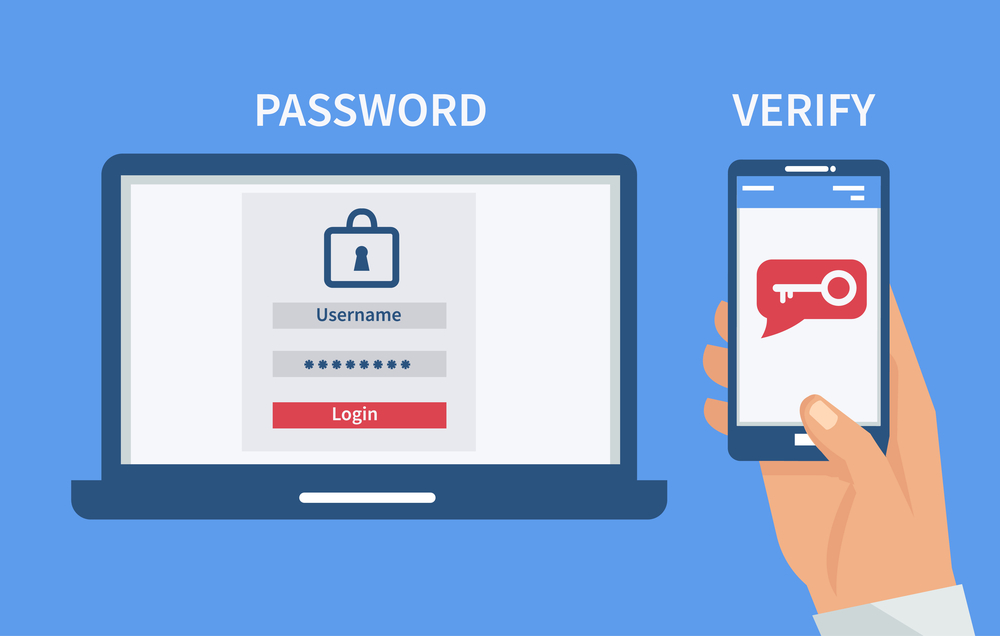
Two-factor authentication (2FA) is that second lock on the door.
Even if someone steals your password, they still can’t break into your account without a second code — typically sent to your phone or generated by an app.
Most neobanks and digital wallets offer 2FA, yet do not make it mandatory to activate. You have to do it yourself.
2FA Options — From Least to Most Secure
| 2FA Type | Security Level | Notes |
|---|---|---|
| SMS text message code | Medium | Vulnerable to SIM swapping |
| Email verification code | Medium | Only as secure as your email |
| Authenticator app (Google/Authy) | High | Best for most users |
| Hardware security key | Very High | Physical device like YubiKey |
| Biometric (fingerprint/face) | High | Good in combination with another method |
How to Enable 2FA
- Go to Settings → Security → Two-Factor Authentication
- Select an authenticator app such as Google Authenticator or Authy
- Scan the QR code and save your backup codes in a safe place
- Test it by logging out and back in
Do this for your neobank, your email account tied to that bank and every digital wallet you have.
This single step prevents more than 99% of bulk, automated account sign-in attempts, according to Google’s own research.
Audit #4 — Monitor All Connected Apps and Third-Party Permissions
Here’s something that probably never crossed your mind: each time you attach a third-party app to your wallet or neobank, you’re granting it some level of access.
Budget apps. Shopping tools. Subscription managers. Crypto platforms. They all beg for access — and many retain it long after you’ve stopped using them.
Every app that’s connected is a threat vector.
How to Find Connected Apps
- PayPal: Settings → Security → Manage integrations
- Venmo: Settings → Privacy → Linked accounts
- Cash App: Profile → Linked Banks
- Revolut: Profile → Connected Apps
- Google Pay: Manage Google account → Security → Third-party apps
What to Remove
Consider these questions for each connected app:
- Do I still use this app?
- Do I know what permissions it has?
- Did I download it from an authorized source?
- Has this company recently been in the news for data breaches?
If you answered “no” or “I don’t know” to any of these — revoke access immediately.
Removing old or unfamiliar app connections is a quick and easy neobank and digital wallet security check that takes no longer than 10 minutes.
Audit #5 — Scan Your Transaction History for Anything Uncommon
You’d be surprised how many people get robbed one piece at a time.
Not all hackers zero out accounts overnight. Sometimes they make small test charges — $0.99 here, $1.49 there — to see if you’re paying attention. They ramp up if you don’t acknowledge them.
This is micro-fraud, and it’s more prevalent than most people think.
Your Transaction Audit Checklist
Review the last 60–90 days of your transaction history and search for:
- Charges from companies you don’t recognize
- Duplicate charges for the same dollar amount
- Payments to people you never authorized
- Round-number withdrawals ($50, $100, $200) that you don’t recall
- International transactions you didn’t make
- Small charges (less than $2) from unknown companies
What to Do If You Find Something Suspicious
- Don’t panic. Screenshot the charge for evidence.
- Get in touch with the fraud support staff of your neobank or wallet as soon as possible.
- File a dispute on the platform’s dispute portal.
- Freeze your account or card temporarily if the platform offers it.
- Update your password and turn on 2FA right away.
Most neobanks let you freeze your card within the app with one click. Use it while you investigate.
Doing this audit on a monthly basis is one of the smartest neobank and digital wallet habits you can build.
Audit #6 — Secure Your Account Recovery Options
Your account recovery settings are often the back door hackers use when they can’t get through the front.
If your recovery email address is old, your security questions have guessable answers, or your backup phone belongs to an old SIM card you no longer control — you have a flaw.
Recovery Security Checklist
| Recovery Element | What to Check |
|---|---|
| Backup email | Is the address current and secure? Does it have 2FA? |
| Phone number | Is this still your active number? |
| Security questions | Are the answers easy to guess or readily available online? |
| Recovery codes | Saved securely offline? |
| Trusted contacts | Are they still people you trust? |
How to Update Your Recovery Information
- Head over to Settings → Account → Security or Privacy
- Update your backup email to one that you actively use and can secure
- Make the answers to your security questions random strings that can’t be guessed (and store that information safely)
- Remove old phone numbers you no longer have access to
One crucial tip: your recovery email is often the master key to your accounts. Make it the most secure email account you own. Give it its own strong password and enable 2FA on it.
This is one of those audits that people don’t often undertake, and it’s probably one of the most important neobank and digital wallet security audits on this entire list.
Audit #7 — Look Through Your App Permissions on Your Phone
Your neobank and digital wallet apps aren’t the sort of thing that just reside on the internet. They live on your phone. And your phone is a treasure trove of sensitive data they could be accessing without you knowing.
Location. Contacts. Camera. Microphone. Storage.
Most apps request more permissions than they actually require — and many users simply click “Allow” without reading what they are agreeing to.
How to Review App Permissions
On iPhone:
- Navigate to Settings → Privacy & Security
- Tap each category (Location, Contacts, Microphone, Camera)
- See which apps have access and remove anything that doesn’t make sense
On Android:
- Go to Settings → Apps → [App Name] → Permissions
- Check what is turned on and turn off what isn’t necessary
What Permissions Do Neobank Apps Really Require?
| Permission | Needed? | Why |
|---|---|---|
| Camera | Yes | For check deposits or ID verification |
| Notifications | Yes | For transaction alerts |
| Location | Sometimes | For fraud prevention features |
| Microphone | Rarely | Usually not required |
| Contacts | Rarely | Unless using a peer-to-peer payment app |
| Storage | Sometimes | To store statements |
Disable any permission you question in a banking app — like access to your microphone or contacts — if there’s no clear reason for it.
This audit also provides protection against malicious apps pretending to be legitimate ones — an increasingly popular attack vector in the neobank and digital wallet security space.
If you’re looking for more tips on staying safe with digital finance tools, this resource on smart digital banking practices is worth bookmarking.
Audit #8 — Perform a Comprehensive Phishing Awareness Check of Your Inbox and Messages
The final audit is as much a mindset check as a technical one.
Phishing is still the number one cause of people losing control of their neobank and digital wallet accounts. Hackers create bogus emails, texts and even in-app messages that purport to be from your bank.
They look real. They sound urgent. And they fool smart people every single day.
Common Signs of a Phishing Attack to Look Out for Right Now
Go into your email and SMS inbox and look for messages that claim to be from your bank. Then run through this list:
- Is the sender’s email address from an official domain? (e.g., support@paypal.com vs. support@paypalsecure.net)
- Does the message spark panic or urgency? (“Your account will be closed in 24 hours!”)
- Is the link going to an odd URL? (Hover over it before you click — don’t click yet)
- Is it prompting you for your password, card number or OTP?
- Does everything seem a little off — wrong logo, bad grammar, strange spacing?
Phishing vs. Real Bank Message — A Side-by-Side Comparison
| Feature | Phishing Message | Real Bank Message |
|---|---|---|
| Sender email | Random or misspelled domain | Official verified domain |
| Tone | Urgent, threatening | Professional, informative |
| Links | Strange URLs | Points to official website |
| Attachments | Suspicious files | Rarely sent via email |
| Request | Asks for password/OTP | Never asks for full credentials |
What You Can Do If You Spot a Phish
- Do not click any links
- Forward the message to your bank’s legitimate fraud department email
- Delete the message
- Mark the sender as spam
Also check: have you subscribed to security alerts sent out by your neobank? Most platforms allow you to receive real-time notices when someone logs into your account, makes transfers or changes account settings. If you haven’t done so, turn these on now.
Build a Regular Monthly Security Audit Routine
Running these audits once is great. Running them every month is even better.
Here’s a simple schedule you can use:
| Frequency | What to Do |
|---|---|
| Every month | Review transactions, verify active devices |
| Every 3 months | Update passwords, review apps with access |
| Every 6 months | Verify recovery options, update 2FA methods |
| Immediately | After any breach or suspicious activity |
Save this list. Set a calendar reminder. Keep your digital wallet security on the same level as locking the door before you go to sleep.
FAQs — Neobank & Digital Wallet Security Audits
Q1: How frequently do I need to audit neobank and digital wallet security? At a minimum monthly — for things like reviewing transactions and scanning active devices. Carry out a full audit every three to six months.
Q2: Are neobanks less safe than regular banks? Not really — but they do work in different ways. Since neobanks are entirely app-based, user behavior matters more. The security audits discussed in this article fill that gap.
Q3: What is the quickest security win I can get right now? Turn on two-factor authentication for every account you haven’t already secured. It takes less than 5 minutes and you’ll instantly make your accounts significantly more secure.
Q4: Is it safe to connect my traditional bank account with a neobank or digital wallet? It is — if you have good security practices in place (unique passwords, 2FA, and regular transaction monitoring). Link accounts only through trustworthy, authorized applications.
Q5: What do I do if my digital wallet gets hacked? Act fast. Freeze your card or account right away in the app. Contact official fraud support. Change your password and 2FA. Document all questionable transactions for dispute purposes.
Q6: Can someone steal money from my digital wallet without my phone? Yes — if they have your login credentials and there is no 2FA in place, they can access your account from any device. That’s why strong passwords and 2FA are simply non-negotiable.
Q7: Can I trust password managers with my data? Good password managers, including Bitwarden, 1Password and Dashlane, keep your passwords safe with powerful encryption — a great improvement over browser-stored passwords or reused credentials.
The Bottom Line — Don’t Wait for a Crisis
Most folks don’t consider security until they’ve already been hacked. Then, it’s usually too late to recoup lost money or reverse the damage.
These 8 security checks for neobanks and digital wallets are quick, free and actually work. You don’t have to be a cybersecurity expert. You just have to spend an hour — even minutes — walking through every step.
Check your devices. Strengthen your passwords. Enable 2FA. Review connected apps. Scan your transactions. Lock down your recovery options. Manage app permissions. Stay alert to phishing.
Do these things today. Then establish the habit of doing them consistently.
Your digital money should have the same protection as the cash in your wallet — if not more, since digital funds can be much larger, move at much faster speeds and be accessed from around the world.
Start now with Audit #1. You’ve already read this far — that means you care about your financial safety. Now take action.







