
A few months back, a friend of mine — someone who’s pretty tech-savvy, not a grandparent who clicks on every email — woke up to find his Revolut balance wiped out overnight. Not completely, but enough to cause a full-blown panic at 6 AM. Turned out someone had gotten into his account through a SIM swap. He had no idea that was even a thing until it happened to him.
That conversation stuck with me, because if it can happen to him, it can happen to anyone using a neobank.
Neobanks like Revolut, Chime, Monzo, N26, and others are genuinely brilliant for day-to-day banking. Fast, low-fee, beautifully designed. But the same features that make them convenient — app-based access, instant transfers, no physical branches — also make them a target. And unlike a traditional bank where you can walk in and sort things out face-to-face, when something goes wrong at a neobank, you’re often staring at a chat widget hoping someone responds quickly.
So let me walk you through what I’ve actually learned about keeping your neobank account secure — not the generic stuff you’ve already ignored, but the things that genuinely matter.
1. Stop Using SMS as Your Only Two-Factor Authentication
I know, I know — you’ve heard “enable 2FA” a thousand times. But there’s a massive difference between 2FA methods, and most people don’t realize that SMS-based 2FA is actually the weakest option available.
SIM swapping — where a fraudster convinces your mobile carrier to transfer your number to their SIM card — is shockingly easy to pull off. Once they have your number, they get your OTPs. That’s exactly what happened to my friend.
What to do instead:
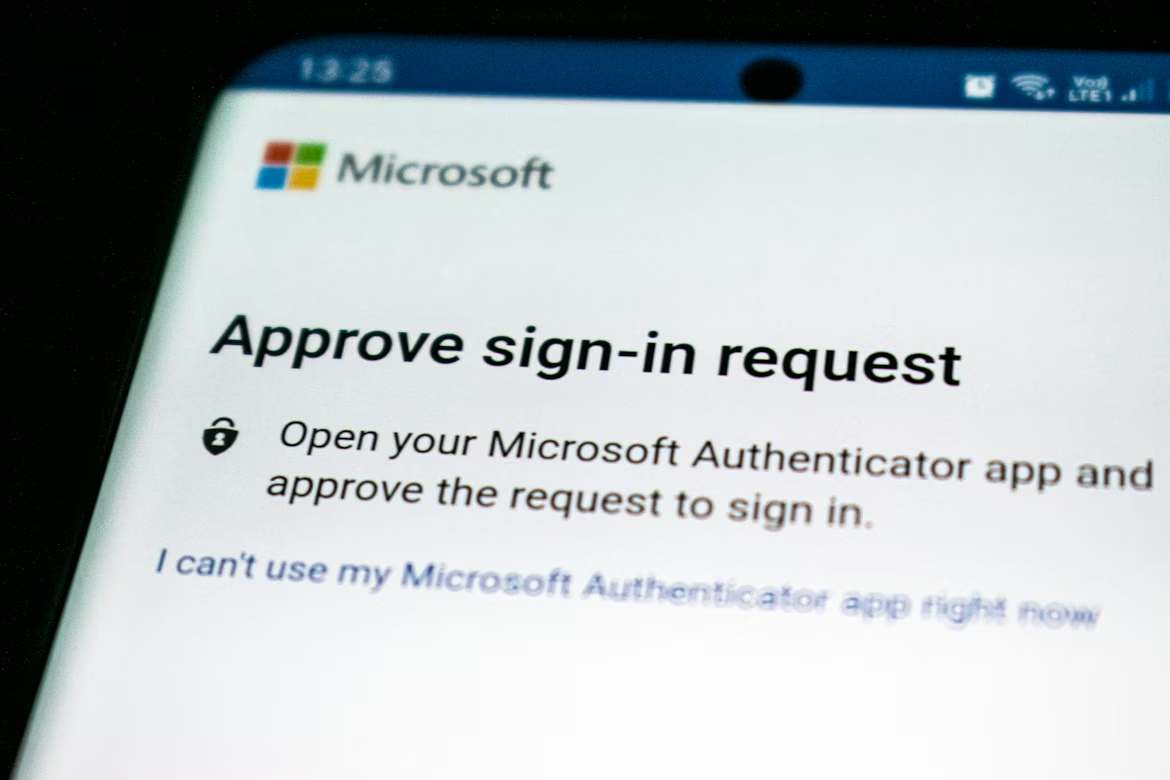
Move to an authenticator app. Google Authenticator, Authy, and Microsoft Authenticator all generate time-based codes that live on your device — not tied to your phone number at all. Even if someone clones your SIM, they can’t get these codes.
Here’s how to switch, step by step:
- Download Authy or Google Authenticator on your phone
- Go into your neobank’s security settings
- Look for “Two-Factor Authentication” and choose “Authenticator App”
- Scan the QR code it shows you
- Save the backup codes somewhere offline (print them, seriously)
If your neobank doesn’t support authenticator apps yet — that’s actually a red flag worth noting about the platform itself.
2. Use a Unique, Ridiculous Password That You’ve Never Used Anywhere Else
Okay, this one sounds obvious. But here’s what I’ve noticed: most people who say they use “unique passwords” actually just have a base password they tweak slightly. Something like “MyBank2024!” becomes “MyBank2025!” for the next year.
That’s not unique. And if any website you’ve ever signed up for gets breached — which has probably already happened, check haveibeenpwned.com — that base password is now floating around on dark web dumps.
Use a password manager. I personally use Bitwarden (free and open-source), but 1Password and Dashlane are excellent too. Let it generate a completely random 20-character password for your neobank. You’ll never have to remember it, and it’s completely unique.
The extra step people skip: set a separate, strong master password for the password manager itself. Don’t store that one anywhere digitally.
3. Lock Your Card Instantly When You’re Not Using It
Most neobanks have a card freeze feature right in the app. Monzo, Revolut, Starling — they all have it. You can freeze and unfreeze your card in about two seconds.
Here’s how I use this: I keep my card frozen by default. When I’m about to make a purchase, I unfreeze it, make the transaction, and freeze it again. Takes five seconds total.
It sounds like overkill until you realize that card skimmers at ATMs, compromised payment terminals, and online data breaches can capture your card details without you ever knowing. A frozen card is useless to anyone who has the numbers.
For online shopping, many neobanks also offer virtual card numbers — disposable card numbers that are linked to your account but can be deleted after a single transaction. Revolut and Privacy.com (for US users) do this well. I use virtual cards for any new website I’m not sure I’ll use again.
4. Set Spending Limits — Even on Your Own Account

This is one of those features that most people ignore because it feels like you’re restricting yourself. But spending limits are actually one of the most powerful security tools you have.
If someone does get into your account, spending limits cap the damage they can do before you notice and shut it down.
What to configure:
| Limit Type | Recommended Setting | Why It Helps |
|---|---|---|
| Daily spend limit | Based on your typical daily spending | Caps fraudulent purchases |
| ATM withdrawal limit | Low — most fraud involves cash-outs | Limits instant loss |
| Online transaction limit | Set below your usual online spend | Catches unusual activity fast |
| International transactions | Disable if you don’t travel | Blocks foreign fraud entirely |
Most neobanks let you adjust these in real time. I lower my limits when I’m not planning to make large purchases and raise them only when needed. Sounds tedious — it’s genuinely not.
5. Actually Read Your Transaction Notifications (All of Them)
Neobanks send push notifications for every transaction. This is genuinely one of their best security features, and it only works if you actually look at them.
I’ve caught two suspicious charges in the last two years just by glancing at my phone and going “wait, I didn’t buy anything from that merchant.” Both times I was able to freeze the card and dispute the charge before additional transactions came through.
Set your neobank app to send push notifications for every transaction, not just ones over a threshold. The threshold setting is how people miss the “testing the card” micro-charges that fraudsters use before making bigger purchases.
If you’re the kind of person who dismisses notifications without reading them, consider also setting up email alerts as a backup — a second channel where suspicious charges are harder to miss.
6. Be Paranoid About the Wi-Fi You Bank On
Public Wi-Fi and banking apps are a genuinely bad combination, and I don’t mean that in a theoretical way. Man-in-the-middle attacks on public networks can intercept unencrypted traffic — and while most banking apps use HTTPS, not all implementations are bulletproof, especially older app versions.
My rule: I only access my neobank app on mobile data or my home network. If I absolutely have to use public Wi-Fi, I run a VPN first.
For VPNs, I use Mullvad — it’s privacy-focused, has a solid no-logs policy, and costs about $5/month. ProtonVPN is another solid option with a decent free tier. Avoid the free VPNs that are ad-supported — they often monetize your data, which defeats the purpose entirely.
Also worth mentioning: if you’re checking your neobank account on a shared or public computer — a hotel lobby, a library — just don’t. Log out completely and clear the session if you absolutely have to. Better yet, wait until you’re on your own device.
For broader context on neobank digital wallet security audits, network security is consistently one of the most overlooked areas — both by users and surprisingly by some platforms themselves.
7. Secure Your Email Account Like It’s Your Bank Account
Here’s something most people never connect: your email account is the master key to your neobank.
Password reset? Sent to your email. Account recovery? Email. Verification codes for big transfers? Sometimes email.
If someone has access to your email, they can often reset your neobank password, confirm the reset through that same email, and be in your account without ever knowing your original password.
So securing your neobank without securing your email is like putting a deadbolt on your front door while leaving the back door wide open.
Email security checklist:
- Enable 2FA on your email (use an authenticator app, not SMS)
- Use a strong, unique password — not the same as your neobank
- Check your email’s “connected apps” list and remove anything you don’t recognize
- Set up recovery options that don’t rely on a phone number you might lose access to
- Consider using a privacy-focused email provider like ProtonMail for your financial accounts specifically
8. Watch Out for Vishing and Smishing — They’re Getting Scary Good

Vishing is voice phishing. Smishing is SMS phishing. And the modern versions of these attacks are so well-crafted that even security professionals have been caught out.
Here’s a scenario I’ve seen happen multiple times: you get a text message that looks exactly like it’s from your neobank — same formatting, spoofed number — saying there’s been suspicious activity and to call a number immediately. You call. Someone answers as your bank’s fraud department. They sound professional. They walk you through “verifying” your account by providing your details or a one-time code.
You’ve just given them everything they need.
Real neobanks will never ask you for your password, full card number, or a one-time code over the phone. If someone calls you claiming to be from your bank and asking for these things — hang up. Call the official number from your bank’s app or website directly.
A good habit: if you receive any communication that creates urgency around your bank account, slow down. Urgency is the tool. Fraudsters know that panicked people make poor decisions.
9. Keep Your App Updated — Every Single Time
I know the “update your apps” advice gets eye-rolls, but there’s a specific reason it matters for banking apps.
Security patches. When a vulnerability is discovered in a banking app — a bug that could let someone intercept data, bypass authentication, or exploit the payment system — the fix goes out in an update. If you’re running an old version of the app, you’re running the version with the known, documented vulnerability.
In 2023, several neobanks had to push emergency patches for authentication-related bugs. Users running updated apps were protected within hours. Users who had auto-updates off — and there are a lot of them — remained exposed until they manually updated, often days later.
Turn on auto-updates for your neobank app specifically. And if you’re ever on an old phone that can’t receive the latest app version, that’s a genuine security concern worth addressing.
The same logic applies to your phone’s operating system. Outdated iOS or Android versions have known exploits that malware targets specifically. If your phone is too old to receive security updates, it’s a weak link in your entire security chain.
For a technical look at how these update cycles factor into security posture, 10 must-do neobank digital wallet security audits for risk mitigation covers the audit side of this really well.
10. Know Exactly What to Do If Something Goes Wrong
This might be the most underrated tip on the list. Most people have no plan for what to do if their account is compromised — they just panic and figure it out in the moment. That’s the worst time to be figuring things out.
Build your incident response plan now, before you need it:
Step 1 — Freeze everything immediately Open your neobank app, go to card settings, and freeze all cards. Do this before you even call support. Every second counts.
Step 2 — Change your password from a secure device If your phone is compromised, use a different device. Change the password and log out all other sessions (most neobanks have a “sign out of all devices” option in security settings).
Step 3 — Contact support through the official app or website Not through a number in a text or email. Go directly to your neobank’s app and find the support chat. Report the incident immediately and document the conversation.
Step 4 — Check your connected accounts If your neobank is linked to any other accounts — PayPal, Apple Pay, budgeting apps — review those too. Sometimes breaches cascade.
Step 5 — File a report Depending on your country, this might mean reporting to your national cybercrime unit, your consumer financial protection body, or at minimum the neobank’s formal complaints process in writing.
Step 6 — Review what went wrong Once the immediate crisis is handled, figure out the entry point. Was it a weak password? Phishing? SIM swap? Understanding it helps you prevent a repeat.
Quick Security Health Check: How Protected Are You Right Now?
| Security Measure | Done? |
|---|---|
| Authenticator app (not SMS) for 2FA | ✅ / ❌ |
| Unique password via password manager | ✅ / ❌ |
| Card frozen when not in use | ✅ / ❌ |
| Spending limits configured | ✅ / ❌ |
| Transaction push notifications enabled | ✅ / ❌ |
| VPN on public Wi-Fi | ✅ / ❌ |
| Email account secured with 2FA | ✅ / ❌ |
| App on latest version | ✅ / ❌ |
| Incident response plan prepared | ✅ / ❌ |
If you have more than three ❌ marks in that list, your account has meaningful gaps that are worth closing this week — not someday.
Common Mistakes People Make (And the Fixes)
| Mistake | Real-World Consequence | Fix |
|---|---|---|
| Reusing passwords | One breach exposes all accounts | Use a password manager |
| SMS-only 2FA | SIM swap bypasses it entirely | Switch to an authenticator app |
| Ignoring transaction alerts | Fraud goes unnoticed for days | Enable all notifications |
| Banking on public Wi-Fi | Data interception risk | Use mobile data or a VPN |
| Not securing email | Email = master key to your bank | Add 2FA and a strong password |
| Skipping app updates | Known exploits stay open | Enable auto-updates |
Wrapping Up
Security isn’t really about fear — it’s about making sure the convenience of neobanking works for you, not against you. These platforms are genuinely excellent, and the security tools they provide are often better than what legacy banks offer. The problem is most of those tools only protect you if you actually use them.
My friend eventually got his money back after a lengthy dispute process with Revolut. But the weeks of uncertainty, the screenshots, the reports, the back-and-forth — none of that was fun. A SIM-lock request with his carrier and an authenticator app would have prevented the whole thing.
Small steps now save a lot of stress later.
If you want to go deeper on the technical side of how neobank platforms themselves get tested for vulnerabilities, this is a solid place to start: 7 Must-Do Security Audits of Neobanks & Digital Wallets You Should Never Ignore — understanding what auditors look for helps you know what questions to ask about any platform you trust with your money.