

All of your financial life is on your phone. That’s as convenient as can be — but also potentially really risky.
Millions of people now bank entirely through apps. No physical branch. No paper statements. Nothing but a smartphone and an internet connection separating them from their savings. Neobanks like Monzo, Chime, Revolut and N26 have surged in popularity. Digital wallets including Google Pay, Apple Pay, Samsung Pay and Cash App literally handle billions of dollars of transactions on a daily basis.
And where the money goes, so do the criminals.
The world lost north of $8 trillion in 2023 due to cybercrime, according to Cybersecurity Ventures. That figure is projected to soar beyond $10.5 trillion annually by 2025. A huge chunk of that damage comes slamming down onto everyday consumers — folks like you — in the form of hacked digital wallets, emptied neobank accounts and stolen identities.
The scariest part? In most cases, victims had no inkling that anything was wrong until it was too late.
And that is precisely why neobank & digital wallet security audits for risk control are not only smart — but essential. These audits are systematic checks you take of your accounts, devices and habits to catch problems before they become catastrophes.
This article runs through 10 must-do audits that can significantly reduce your risk. These aren’t complicated. They don’t require tech expertise. They simply demand a little attention and some good sense — both of which you’re about to acquire.
Let’s get into it.
The True Price of Rolling the Dice on Security
But before we dive into the audits, a quick word on what is actually at stake.
Most people think, “I’m not rich enough to be a target.” That thinking is exactly wrong. Cybercriminals do not limit their targets to deep-pocketed accounts. They go after easy accounts. Automated hacking tools scan millions of accounts across the internet at once, seeking the weakest ones.
Here’s a look at the threat landscape:
| Threat | Method | Common Damage |
|---|---|---|
| Account takeover | Password theft, phishing | $500 – $10,000+ |
| SIM swapping | Social engineering of mobile providers | Full account wipeout |
| Phishing scams | Fake texts/emails from “your bank” | Varies greatly |
| Unauthorized app access | Overlooked third-party permissions | Never-ending micro charges |
| Public Wi-Fi interception | Man-in-the-middle attacks | Hijacked login credentials |
| Malware on device | Downloaded from unsafe apps | Complete device compromise |
| Weak 2FA bypass | SMS code interception | Account breach |
| Data breaches | Third-party app hacks | Identity theft |
None of these involve being reckless. They only need you not to know better. These 10 audits fix that.
Audit #1 — Chart Every Account and Wallet You Have
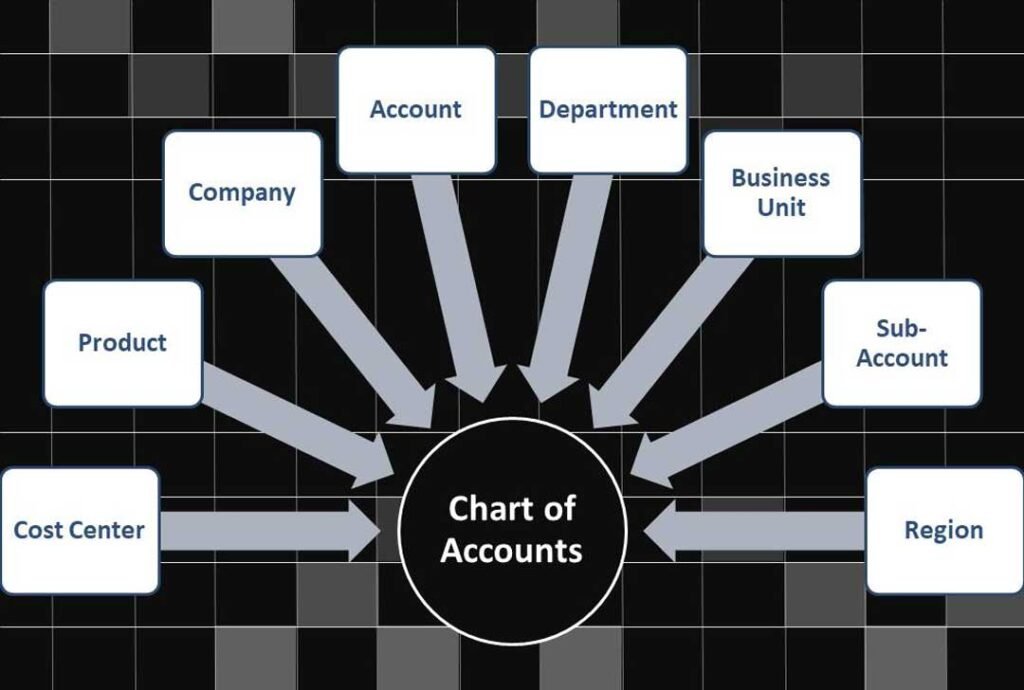
You can’t defend what you cannot see.
The vast majority of people have more digital financial accounts than they think. A PayPal from five years ago. A Venmo linked to an expired email. A Cash App installed for a one-time payment. A Revolut account opened on a foreign trip. These neglected accounts are treasure troves for hackers.
How to Do This Audit
Sit down and make a detailed list. Write out every neobank account, every digital wallet and every payment app you’ve ever signed up for. Include ones you barely use.
Ask yourself for each one:
- Do I still need this account?
- Is it linked to an active email and phone number?
- Does it have a strong, unique password?
- Is two-factor authentication turned on?
Accounts you no longer need should be fully closed — not just deleted. Uninstalling an app from your phone doesn’t close the account. You’ll have to close it through the official process.
Why This Matters: Dormant accounts are often targeted because owners hardly check them. A breach in one forgotten account can expose your linked email, phone number and in some cases even banking information.
Audit #2 — Perform a Full Password Health Check
Passwords are the fundamental layer of defense — and still the most frequently ignored.
Here’s the awkward truth: most people reuse their passwords across more than one platform. That means if one site is hacked, every account using that password is suddenly vulnerable. It’s a type of attack called a credential stuffing attack — one of the most common ways hackers gain access today.
Signs Your Passwords Are Setting You Up for a Hack
- You have used the same password for more than one financial account
- Your password is shorter than 12 characters
- It contains personal information such as your name or birthday
- You haven’t changed it in over a year
- You store passwords in a notes app or browser autofill with no master password
How to Fix It — Step by Step
Step 1: Use a dedicated password manager. Apps such as Bitwarden (free), 1Password and Dashlane create and save strong, unique passwords for all your accounts.
Step 2: Enable breach alerts. Most password managers alert you when your credentials are involved in a known data breach. You can also check manually at haveibeenpwned.com.
Step 3: Immediately change any weak or reused passwords for your neobank and digital wallet accounts.
Step 4: Schedule a reminder to review your passwords every 90 days.
| Password Habit | Risk Level |
|---|---|
| Unique password per account | Low |
| Reused password across 2–3 sites | Moderate |
| Reused password across 5+ sites | High |
| Simple password under 10 characters | Very High |
| No password manager | High |
Audit #3 — Lock Down Your Two-Factor Authentication
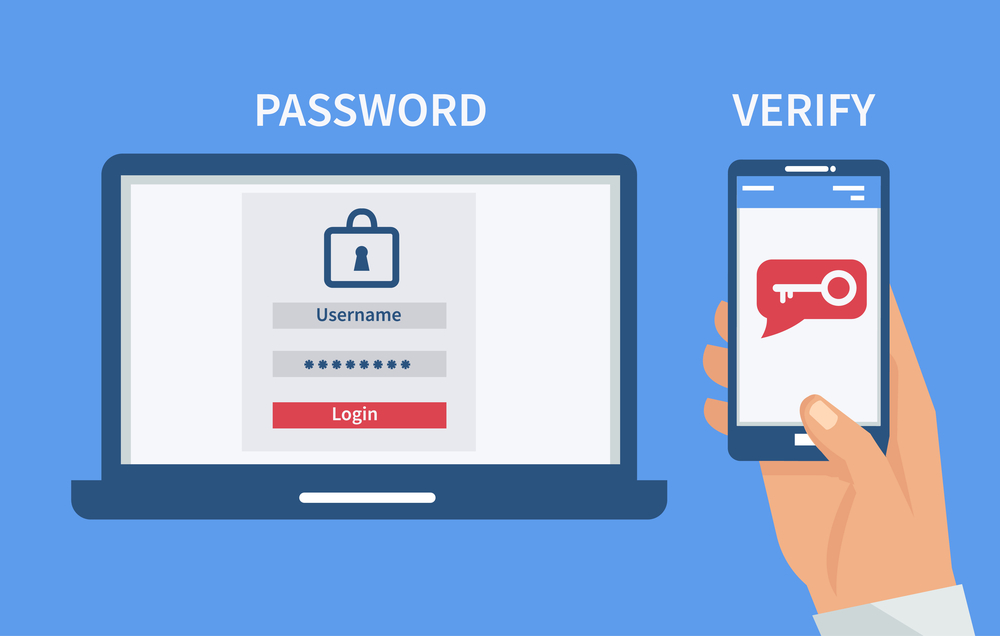
Two-factor authentication (2FA) puts a second lock on your account. Even if someone steals your password, they still can’t get in without that second verification.
Many people turn on 2FA and then forget about it entirely. But not all 2FA systems are created equal — and some are far more vulnerable to hacking than others.
Ranking Your 2FA Options
Weakest — SMS text codes: Convenient but vulnerable to SIM swapping and SS7 network attacks.
Better — Email codes: Slightly more secure than SMS, but only as strong as your email account’s own security.
Strong — Authenticator apps: Google Authenticator, Authy and Microsoft Authenticator generate time-sensitive codes that never travel over a network. Far more secure.
Strongest — Hardware security keys: Physical devices like YubiKey or Google Titan that require physical presence to authenticate. Nearly impossible to bypass remotely.
Your 2FA Audit Steps
- Log into every neobank and digital wallet account
- Go to Security Settings
- Check what type of 2FA is currently active
- Upgrade to an authenticator app if you’re still on SMS-only
- Store backup recovery codes somewhere safe — not on your phone
Many neobanks including Revolut, Monzo and N26 now fully support authenticator apps. There’s no reason to stay on SMS.
Audit #4 — Inspect Every Linked Account and Connected App
Every time you click “Sign in with Google” or “Connect PayPal” on a third-party platform, you create a relationship between that platform and your financial account. Those relationships don’t always end cleanly.
Why Old Connections Are Dangerous
That food delivery app you used twice in 2021 might still have access to your PayPal. That budgeting app you tested and abandoned could still be pulling your transaction data. A subscription service you canceled might still have permission to charge your digital wallet.
Worse — some of those apps may have since been sold, hacked or shut down improperly. The connection might still be active on your end even if the company is long gone.
Where to Check Connected Apps
PayPal: Settings → Security → Manage Saved Logins and Connected Apps
Google Pay: Google Account → Security → Third-Party Apps with Account Access
Apple Pay / Apple ID: Settings → Apple ID → Password & Security → Apps Using Apple ID
Revolut: Profile → Linked Apps
Cash App: There’s no official connected apps list — check for any recurring payments manually
Go through each list. Remove any app or service you don’t use regularly or fully trust. This is an indispensable step in any neobank & digital wallet security audit for risk control.
Audit #5 — Review Your Notification and Alert Settings
Real-time alerts are your early warning system. They’re also totally useless if they’re not set up properly.
Most people have some notifications turned on. But “some” is not enough. You need granular, comprehensive alerts that cover every type of account activity.
The Alerts You Shouldn’t Be Without
| Alert Type | Why You Need It |
|---|---|
| Every transaction (any amount) | Catches unauthorized charges immediately |
| New device login | Lets you know if someone logs in |
| Password change | Confirms it was you — or exposes that it wasn’t |
| Large withdrawal | Immediate flag for potential fraud |
| New linked account or card | Stops unauthorized linking of accounts |
| Failed login attempt | Early warning someone’s trying to break in |
| Account information change | Covers email, phone and address changes |
Open your neobank and wallet apps right now. Go to Settings. Find notifications. Turn everything on. Yes, it might feel like a lot of pings at first. But you will adapt — and get ahead of problems before they become unwieldy.
Don’t Rely on the App Alone
Also ensure that alerts go to both your email address and your phone. Even if your phone is compromised, you will still have email. Even if your email is compromised, your phone alerts will still work. Two channels are always better than one.
Audit #6 — Scan Your Devices for Security Vulnerabilities
Your neobank app can be perfectly safe while your device is utterly compromised. App developers can’t protect you from threats living on your own phone.
What Device-Level Threats Look Like
Outdated operating system: Security patches for iOS and Android come out regularly. Running an old version leaves known vulnerabilities open for attackers.
Malicious apps: Some apps on official stores have been found to contain spyware. They get removed eventually — but not before causing damage.
Rooted or jailbroken devices: Removing manufacturer restrictions strips away built-in security layers. Many neobank apps detect this and refuse to run. That’s intentional.
Weak or no screen lock: If you have no PIN, fingerprint requirement or face ID on your phone, anyone who picks it up has full access to your financial apps.
Your Device Audit Checklist
- Is your phone’s OS updated to the latest version?
- Do you have a screen lock enabled?
- Have you reviewed all installed apps recently and removed anything unused or suspicious?
- Is Google Play Protect or Apple’s security scanning active?
- Have you avoided sideloading apps from unofficial sources?
- Is your phone’s storage encrypted? (Most modern phones do this by default)
Run this check every month. It takes under five minutes and can make an enormous difference.
Audit #7 — Test Your Recovery and Backup Access Options
What happens if you lose your phone tomorrow? Or if your account gets locked after a suspicious login attempt? Do you know exactly how to get back in?
Most people don’t. And that moment of confusion is exactly when mistakes — and additional vulnerabilities — get created.
How a Full Recovery Audit Works
Check your backup email: Is it current? Is it an email address you still actively use and can access?
Verify your recovery phone number: If it’s an old number you no longer own, update it immediately. That number may now belong to someone else.
Locate your 2FA backup codes: These were generated when you first set up an authenticator app. If you never saved them, generate new ones now and store them securely — ideally on paper in a safe place or in a password manager.
Know your identity verification process: Some neobanks require government ID to unlock accounts. Make sure the ID on file matches your current legal name and is not expired.
Test the process: Some apps let you simulate or review the account recovery process without actually triggering a lockout. Take advantage of that.
A note on backup codes: Never save them as a screenshot on your phone. If your phone is stolen or hacked, those codes are the keys to your kingdom.
Audit #8 — Assess Your Wi-Fi and Network Habits
The network you use to access your neobank matters as much as the app itself. Your data can become exposed on an unsafe network even when everything else is perfectly secured.
The Public Wi-Fi Problem — Explained Simply
Picture your data as a letter. On a secure private network, that letter travels inside a sealed, locked box. On a public Wi-Fi network, that letter moves out in the open — anyone else on the same network can potentially read it.
That’s how a man-in-the-middle attack works. The attacker positions themselves on the same public network and intercepts the communication between your device and the financial server.
Safer Network Habits for Digital Banking
Use mobile data instead of public Wi-Fi when accessing any banking app. Your cellular connection is much less susceptible to interception than a shared Wi-Fi network.
Use a VPN on public networks. A Virtual Private Network encrypts your internet traffic, making interception extremely difficult. Good options include ProtonVPN, NordVPN and Mullvad.
Secure your home Wi-Fi. Make sure your home router uses WPA3 or at minimum WPA2 encryption. Change the default router password if you’ve never done so.
Avoid accessing financial apps on hotel, airport or café Wi-Fi — even if the network is password protected. A password-protected public Wi-Fi network is not the same as a private one.
| Network Type | Safety Level | Recommended Action |
|---|---|---|
| Home Wi-Fi (WPA3) | High | Safe for banking |
| Mobile data (4G/5G) | High | Safe for banking |
| Home Wi-Fi (WPA2) | Moderate | Safe with a strong password |
| Office/school network | Moderate | Use with caution |
| Public Wi-Fi with VPN | Moderate | Acceptable with VPN on |
| Public Wi-Fi without VPN | Low | Never use for banking |
| Open Wi-Fi (no password) | Very Low | Avoid entirely |
Audit #9 — Comb Through Your Transaction History With a Fine Comb
This isn’t casually glancing at your balance to see how much you have left to spend. This is an intentional, line-by-line review of every transaction over a set period — at minimum the last 30 days, ideally 90 days.
What You’re Looking For
Micro-charges: Fraudsters often test stolen card details with charges under $2. If those go unnoticed, bigger withdrawals follow.
Unfamiliar merchants: An unfamiliar charge doesn’t automatically mean fraud — but it always warrants a closer look. Search the merchant name before dismissing it.
Duplicate charges: The same amount, same merchant, within a short period of time. This can be accidental — or deliberate.
Recurring charges you’ve forgotten about: Subscriptions are easy to forget. Review every recurring charge and verify that you still want it.
Odd timing: Transactions at 3 AM or from a time zone you’ve never visited are serious red flags.
How to Conduct This Audit Efficiently
Use your app’s filter and search features. Sort by amount to spot unusual large transactions. Sort by date to see clusters of activity. If your app allows it, export your statement to a spreadsheet — this makes pattern spotting much easier.
Set a recurring calendar reminder to do this audit every two weeks. It’s one of the most powerful neobank & digital wallet security audit habits you can build.
For more in-depth tips on managing digital finance safely, visit BankProfi — your trusted guide to smarter, safer banking and stay one step ahead of the threats.
Audit #10 — Run a Full Social Engineering Awareness Check
This final audit is unlike any of the others. It’s not about your accounts or your devices. It’s about your behavior — and how criminals may seek to exploit it.
Social engineering is the practice of tricking people into revealing information or taking actions that undermine their own security. No technical hacking is involved. All it takes is convincing you to hand over the keys yourself.
The Most Common Social Engineering Attacks Against Neobank Users
Phishing emails: A fake email that looks exactly like one from your bank. It asks you to click a link and “verify your account.” The link takes you to a fake site that steals your login credentials.
Smishing (SMS phishing): The same game, delivered via text message. “Your account has been locked. Click here to restore access.”
Vishing (voice phishing): A phone call from someone claiming to be your bank’s fraud department. They ask you to confirm your account details to “protect you from suspicious activity.”
Impersonation scams: A fake customer support agent on social media, or a fake app in the app store designed to look exactly like your neobank.
Your Social Engineering Defense Checklist
- Never click links in emails or texts claiming to be from your bank — go directly to the app or official website instead
- Know that your real bank will never ask for your full password, PIN or 2FA code over the phone
- Check the sender’s email address carefully — phishing emails often use slight misspellings
- Read reviews and developer names before downloading anything claiming to be your bank
- When in doubt, hang up and call the bank’s official number directly
Remember: Even one mistake in this area can bypass every other security measure you’ve put in place. Social engineering attacks succeed because they’re convincing — not because you’re clueless.
Your Monthly Security Audit Calendar
Here is a simple schedule to keep all 10 audits on track without feeling overwhelmed:
| When | What to Do |
|---|---|
| Every day | Scan transactions, check for unusual alerts |
| Every week | Review login activity, check app updates |
| Every month | Password review, 2FA check, connected apps, notification settings |
| Every 3 months | Full device security scan, network habits review |
| Every 6 months | Account mapping, recovery options test, social engineering refresher |
Attach each task to something you already do — morning coffee, a weekly Sunday routine, or the first day of each month. Consistency beats perfection every time.
FAQs About Neobank & Digital Wallet Security Audits for Risk Control
Q: How long does a full security audit actually take? A: Your daily check takes two to three minutes. A monthly audit of passwords, 2FA and connected apps takes about 15 to 20 minutes. The entire six-month review could take an hour. Small time investment, massive protection.
Q: I use Apple Pay and Google Pay — are those safer than neobank apps? A: They employ strong tokenization technology, so your actual card number is never shared with merchants. But they are only as secure as the device and account to which they’re linked. The same audits apply.
Q: What is tokenization and why does it matter? A: Tokenization replaces your actual card number with a unique, randomly generated code for each transaction. Even if a merchant’s system is breached, your real card number is never exposed.
Q: Can neobanks be hacked directly, or is it always user-level attacks? A: Both happen. Neobanks themselves pour money into security infrastructure, but no system is foolproof. However, the vast majority of successful attacks happen at the user level — weak passwords, phishing and unmonitored accounts.
Q: Is it safe to use a neobank as my primary bank account? A: Many people do this safely. The trick is to pair it with strong security habits — precisely the sort laid out in these audits. Also ensure that your neobank is FDIC-insured (US) or covered by a similar scheme in your country.
Q: What should I do if I find unauthorized access on my account? A: Move fast. Sign out of all sessions, change your password, update your 2FA, freeze any linked cards and contact your neobank’s support team immediately. File a report with the FTC at reportfraud.ftc.gov if money was taken.
Q: Do I really need a VPN for home banking too? A: A VPN is not strictly necessary at home if your home Wi-Fi is properly secured with WPA2 or WPA3 encryption and a strong, unique password. It becomes most critical on public or shared networks.
Q: What is the single most important audit to start with? A: If you do nothing else today, audit your passwords and 2FA settings. These two alone block the majority of common attacks.
The Bottom Line — Your Security Is Your Responsibility
Neobanks and digital wallets have made managing money faster, simpler and more accessible than ever. That convenience is genuinely valuable. But there’s one condition — you need to take your own security seriously, because no app can fully protect you from your own blind spots.
Neobank & digital wallet security audits for risk control are the structured answer to that responsibility. They turn diffuse worry about “getting hacked” into concrete, actionable steps. They give you control in a space that often feels beyond your grasp.
The 10 audits in this article are not complicated. They don’t require technical knowledge. What they need is consistency, attention and about 15 minutes a month.
Start today. Choose one audit — any audit — and complete it before you close this tab. Then schedule the rest.
The best time to secure your financial accounts was the moment you opened them. The second best time is right now.







