

A few months back, my cousin called me in a mild panic. Someone had tried to log into his neobank account from a device in a completely different country. He found out because the app sent him a real-time alert — and within seconds, he was able to freeze his card right from his phone.
No branch visit. No 45-minute hold music. Just — done.
What struck me wasn’t the attempted breach (unfortunately, that’s pretty common now). It was how fast the system caught it and how much control he had from his end. That’s not how banking worked five years ago. That’s a security upgrade in action.
Neobanks have been moving at a pace that traditional banks genuinely struggle to match when it comes to security. Not because legacy banks don’t care — they do — but because they’re working with older infrastructure that takes years and billions to overhaul. Neobanks, built from scratch on modern tech stacks, can push security updates the way your phone pushes app updates: frequently, quietly, and effectively.
Here are six of the most significant security upgrades neobanks are rolling out right now — and what they actually mean for you as a customer.
1. Behavioral Biometrics — The Security Layer You Never Even Notice

You’ve heard of fingerprint login and face ID. Those are standard now. But the upgrade that’s genuinely changing the game is behavioral biometrics — and most customers have no idea it’s even running in the background.
Here’s what it actually does: instead of just verifying who you are at login, it continuously monitors how you use the app. The speed you scroll. The angle you hold your phone. How hard you tap. The rhythm of how you type your PIN.
Everyone has a unique pattern, almost like a fingerprint of behavior. And if something suddenly shifts — say, someone else picks up your unlocked phone and starts navigating the app — the system detects the behavioral mismatch and can trigger a re-authentication request or lock the session.
I tested this concept when I switched from my old bank to a neobank that openly disclosed using behavioral analytics. I handed my logged-in phone to a friend and asked him to just browse around. Within about 90 seconds, the app asked him to re-verify with a PIN. He hadn’t done anything “suspicious” — just moved through the app differently than I normally do.
That’s not magic. That’s machine learning trained on your own usage patterns.
Neobanks currently investing heavily in this space:
- Nubank uses layered behavioral signals as part of their fraud detection
- N26 has implemented behavioral analytics alongside their standard biometric login
- Revolut has built risk-scoring that incorporates behavioral patterns into transaction approvals
The practical upside for customers: fewer false fraud flags on legitimate purchases, and much faster detection of actual unauthorized access.
2. Real-Time Transaction Monitoring With AI Scoring
Old-school fraud detection worked like this: a transaction happens, it gets batched with thousands of others, a rules engine checks it against a set of fixed criteria, and if something looks off — sometimes hours later — someone gets flagged.
By then? The money’s usually gone.
What neobanks are now running is genuinely different. Every single transaction gets scored in real-time by an AI model that’s weighing dozens of variables simultaneously: your location, the merchant category, the transaction amount relative to your history, the time of day, whether you’ve ever transacted with this merchant before, and more.
The scoring happens in milliseconds. If something crosses a risk threshold, the transaction is flagged — or blocked — before it completes.
Here’s a comparison of how this evolution looks in practice:
| Feature | Traditional Bank Approach | Modern Neobank Approach |
|---|---|---|
| Fraud detection timing | Batch processing (hours later) | Real-time, pre-authorization |
| Decision model | Fixed rules (amount, country) | Dynamic AI scoring (50+ variables) |
| Customer notification | Often days after fraud | Instant push notification |
| False positive rate | Higher (blunt rules) | Lower (nuanced scoring) |
| Customer action needed | Call the bank | In-app response in seconds |
Monzo in the UK is a good example here. Their transaction monitoring system can detect a compromised card pattern faster than most customers even realize something’s wrong — and they’ve published data showing fraud rates significantly below the UK banking average.
The step change for customers is meaningful: instead of your bank telling you fraud happened, your bank prevents it from completing in the first place.
If you want to understand what security checkpoints sit under all this, the 9 key neobank digital wallet security checkpoints breakdown is worth a look — it covers what’s actually being monitored at each stage.
3. Passwordless Authentication — Getting Rid of the Weakest Link
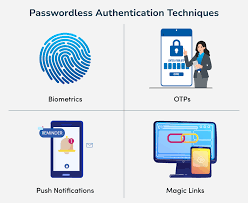
Passwords are, genuinely, one of the most broken security mechanisms we still rely on. People reuse them. They write them down. They fall for phishing. They use “Password123!” and think they’re fine.
Neobanks figured this out early and have been quietly moving toward passwordless authentication faster than any traditional bank I’ve seen.
What does passwordless actually look like?
- Biometric-first login: Face ID or fingerprint replaces the password entirely — not as a second factor, but as the primary factor
- Device binding: Your account is cryptographically tied to your specific device. Even if someone has your login credentials, they can’t access the account from a different device without a separate verification step
- Passkeys: The newer FIDO2/WebAuthn standard that creates a cryptographic key pair — one stored on your device, one on the server — so there’s literally no password to steal or phish
I made the switch to a neobank that uses passkey authentication about eight months ago. The experience difference is jarring — in a good way. I open the app, glance at my phone, and I’m in. No typing, no “forgot password” spirals, no SMS codes I have to wait for.
The security benefit isn’t just convenience. It’s that phishing attacks — where someone tricks you into entering your password on a fake website — simply don’t work against passkeys. There’s no password to enter. The cryptographic handshake only works on the legitimate app or site.
A quick step-by-step on enabling stronger auth in most neobank apps:
- Go to Settings → Security
- Enable Biometric Login if not already on
- Check if your app offers Passkey setup (Revolut, for example, has been rolling this out)
- Disable SMS as your only 2FA option — use an authenticator app (Google Authenticator, Authy) instead
- Review which devices are linked to your account and remove any you don’t recognize
That last step? Most people never do it. Worth doing today.
4. Instant Card Controls — Freeze, Limit, and Customize on the Fly
This one sounds simple but the security implications are bigger than most people realize.
Traditional banks gave you a card. You used it. If something went wrong, you called a number, waited on hold, and eventually someone would cancel the card and mail you a new one in 7–10 business days. During that window? You were exposed.
Neobanks flipped this entirely. The card is now fully controllable from the app, in real time, by you.
What modern instant card controls actually include:
- Instant freeze/unfreeze: Lost your card at a restaurant? Freeze it in seconds while you look. Found it in your jacket? Unfreeze. No cancellation needed.
- Transaction type restrictions: Block online transactions only. Block international usage. Block ATM withdrawals. Keep the card active only for in-person contactless.
- Merchant category blocking: Some neobanks let you block entire spending categories — useful for parental controls or self-imposed spending limits
- Spending limits by transaction: Set a per-transaction maximum so even if someone gets your card details, they can’t run a large charge
- Virtual card generation: Create a one-time-use or limited-use virtual card number for online purchases — the actual card number never gets exposed
Starling Bank, Revolut, and Wise all offer granular card controls that go beyond what most big banks provide even now. I use virtual cards for every online subscription I sign up for. If the merchant gets breached, the compromised card number is effectively useless beyond the single subscription it was generated for.
The 11 best neobank digital wallet security audits for maximum safety covers some of these controls in detail, including how to audit whether your current setup is actually protecting you.
5. End-to-End Encrypted Communication and In-App Messaging
This is one that flew under my radar for a long time, and I’m a little embarrassed it took me so long to notice.
Most security advice focuses on protecting your account credentials. What gets talked about less is the communication around your account — and that’s where a surprising amount of fraud actually happens.
SMS-based banking alerts are trivially easy to spoof. Email-based communications can be phished. And phone calls from “your bank” are one of the oldest scams running.
Neobanks are responding to this by pushing all sensitive communication into the encrypted in-app messaging environment. Instead of sending “your OTP is 847392” via SMS (which can be intercepted by SIM swap attacks), everything happens inside the app itself, verified by your biometric authentication.
Why this matters concretely:
- SIM swap fraud — where a criminal convinces your carrier to transfer your number to their SIM — becomes far less effective when your bank doesn’t rely on SMS for verification
- Vishing (voice phishing) is harder when customers know the bank never calls requesting account details — all communication happens in-app
- Spoofed emails lose their impact when the official channel is clearly the app, not an inbox
Monzo has been particularly vocal about this shift, actively educating customers that their bank will never ask for a full card number or PIN over any channel — and that anything sensitive will only appear inside the authenticated app environment.
I had a moment recently where I got a very convincing SMS claiming to be from a neobank I use, asking me to verify a transaction. Older me might have clicked the link. Current me knew to go directly to the app — where there was no such notification, confirming it was a scam.
That mental model shift — “the app is the only trusted channel” — is itself a security upgrade.
6. Open Banking Security Protocols and API Hardening
This one is more behind-the-scenes but it directly affects how safe your financial data is when you connect third-party apps to your neobank.
You’ve probably connected something to your bank account at some point — a budgeting app like YNAB, a tax tool, an investment platform. The way that connection used to work at many banks was genuinely terrifying: you’d give the third-party app your actual banking username and password, and they’d log in as you to scrape your data.
That meant a third party held credentials that could access your entire account. If they got breached, your bank got breached.
Open banking standards — particularly PSD2 in Europe and similar frameworks emerging elsewhere — have forced a complete rearchitecture of this. Now, third-party apps connect via standardized, regulated APIs using OAuth-based token systems. Here’s what that actually means:
Instead of this:
You give budgeting app your bank password → app logs in as you → app can do anything you can do
You get this:
You authorize the connection in your bank app → bank issues a limited-scope token → app can only read transactions (not move money, not change settings) → you can revoke access anytime in one tap
The difference in security exposure is enormous. A compromised third-party token can read your recent transactions. A compromised full credential can drain your account.
Neobanks have been faster to implement hardened API security than traditional banks because they built their systems with APIs as a core architecture from day one, not bolted on later.
What you should check right now:
- Open your neobank’s Connected Apps or Linked Services section
- Review every app that has access to your account
- Revoke any connections you no longer actively use
- For apps you do want to keep, check what permissions they have — read-only is fine; payment initiation access deserves more scrutiny
Most people connect an app once and forget about it for years. That’s a lingering risk sitting quietly in your account settings.
If you’re interested in how these API security mechanisms get audited professionally, the 8 rapid check tools for neobank and digital wallet security audits gives a good overview of what that evaluation process actually looks like.
Mistakes People Make That Undo All This Good Security
Here’s the thing about security upgrades: they can only do so much if you’re actively working against them.
Mistake 1: Ignoring app update prompts. Security patches are often bundled with regular updates. Leaving your neobank app three versions out of date means missing those patches.
Mistake 2: Using the same PIN for your bank app as your phone lock screen. If someone shoulder-surfs your phone PIN and grabs your phone, your bank is immediately accessible.
Mistake 3: Connecting every financial app you try to your main neobank account. Be selective. Revoke access when you stop using something.
Mistake 4: Dismissing behavioral re-authentication prompts as annoying. Those “please verify again” moments are the system catching something that didn’t match your normal pattern. Don’t just tap through them — actually check what’s happening.
Mistake 5: Assuming all neobanks have the same security level. They don’t. Some are genuinely investing heavily in these upgrades. Others are still running fairly basic setups. It’s worth actually checking before you move significant money into any platform.
Where This Is All Heading
Security isn’t a destination — it’s a continuous arms race. The fraud tactics of 2026 are more sophisticated than those of 2020, and the security systems responding to them have had to evolve just as fast.
What’s clear from everything I’ve seen and experienced is that the neobanks treating security as a product feature — not just a compliance checkbox — are the ones building genuine trust. When security is designed to be transparent, fast, and customer-empowering, it stops feeling like an obstacle and starts feeling like a benefit.
My cousin who almost got breached? He told me afterward that the experience actually made him more confident in his neobank, not less. Because the system worked exactly as it was supposed to.
That’s the goal. And honestly, more banks — neo or traditional — should be aiming for it.
Also worth reading: 6 Ultimate Neobank Digital Wallet Security Audits for Digital Safety — a practical deep-dive into how these security layers actually get tested and verified, written in language that doesn’t require a cybersecurity degree to follow.