

Your money never sleeps. And neither do hackers.
Neobanks and digital wallet providers have made banking so fast, convenient and available that it’s hard to remember what life was like pre-smartphone. There are a number of mobile apps that allow you to send money, pay bills or manage savings remotely. No long lines. No paperwork. No bank branch needed.
But here’s the thing — that convenience is not without risk.
Cybercriminals hone in on neobank users and digital wallet holders because the vast majority of people create an account and forget about it. They rely on the app to provide security. They assume everything is fine.
That assumption is expensive.
In the United States in 2023, consumers reported losing more than $10 billion to financial fraud, the F.T.C. said. Much of that originated with compromised digital accounts. And the scary part? Most of them were easily preventable with a few straightforward checks.
That is precisely what this guide addresses. Four easy security audits you can do yourself — no tech degree required. All target a legitimate weakness that hackers are exploiting in the wild. All of them can be done in under 30 minutes.
Let’s lock things down.
Why Neobanks and Digital Wallets Are Ripe Targets for Cybercriminals
Before you go deep into your audits, it’s helpful to understand why a hacker may be taking interest in your account.
Traditional banks have built up decades of security infrastructure. Thick walls, so to speak. Neobanks are smaller and more recent, with the majority of their operations taking place through apps and APIs. That opens up a different kind of attack surface.
Digital wallets like PayPal, Cash App, Apple Pay and Google Pay all hold payment details — sometimes including full card numbers. A single stolen password can give a criminal instant access to the equivalent of real cash.
Here’s what makes these platforms especially susceptible:
| Type of Vulnerability | Why It’s Bad |
|---|---|
| Weak or re-used passwords | One breach can compromise multiple accounts |
| Lack of 2FA | Means hackers only need your password |
| Linked third-party apps | Each app is another door to your information |
| Outdated app versions | New vulnerabilities may leave backdoors |
| Public Wi-Fi access | Man-in-the-middle attacks capture data |
The good news? All of these flaws have solutions. And the audits below guide you through steps to find them and close them, one by one.
Security Audit #1 — Check Every Door Into Your Account
Imagine your neobank or digital wallet account as a house. People lock the front door, mostly. But what about the back door? The windows? The garage?
Hackers do not always go after your account head on. They slip through connected apps, old gadgets and forgotten login sessions.
Find Out Where Your Account Is Currently Logged In
Nearly all major neobanks and digital wallet apps display a list of active sessions. This is a list of every device and browser that is currently signed into your account.
Go into your account settings. Search for “Active Sessions,” “Devices,” or “Login Activity.” You may find a list that surprises you.
Old phone you sold? Still logged in. Tablet you haven’t picked up in two years? Still signed in. Borrowed a friend’s laptop and haven’t signed out? You guessed it.
Each live session is a potential entry point. If a hacker succeeded at compromising one of those devices, they have access to your money.
What to do:
- Review every session listed
- Log out of any unfamiliar device
- Sign out of devices you are no longer using
- Turn on new login notifications if possible
Audit All Third-Party Apps That Have Access to Your Account
Many neobanks and wallets allow you to plug in third-party apps — budgeting tools, shopping rewards programs, crypto trackers. Every connection is an access token. Each token is a door.
Go to your settings, then find the option called “Connected Apps,” “Linked Accounts” or “Permissions.” You may see apps you didn’t realize you ever linked.
Withdraw access to anything you’re not currently using. This takes under five minutes, and it significantly shrinks your attack surface right away.
Review Your Linked Bank Accounts and Cards
While you are in there, check every bank account, debit card and credit card linked to your account. Ensure that each one is still yours. Ensure no unauthorized accounts were added.
Some account takeover schemes involve adding a new bank account to receive transfers, then slowly bleeding your balance without setting off alerts.
Security Audit #2 — Examine the Security of Your Logins Under a Microscope
Your username and password are the master key to your financial life. Everything else you do to protect your account doesn’t matter if they’re weak.
This audit covers three layers: your password, your two-factor authentication, and your recovery options.
The Password Problem That Won’t Go Away
Here’s a statistic that you won’t like to hear — more than 65 percent of people re-use passwords on multiple sites. That means when some site gets breached — and they all get breached, constantly — your credentials get tested against every other site automatically. Hackers call this “credential stuffing.” It succeeds far more often than it should.
Go to haveibeenpwned.com and input the email address linked to your neobank or digital wallet. This free service cross-references your email address against known data breaches. If your email appears, it’s a good bet that an attacker has already tested your password against popular websites — including your bank accounts.
Password rules that actually matter:
- At least 16 characters long
- Combination of letters, numbers and symbols
- Totally original — not used elsewhere
- Not based on personal information like birth dates or pet names
Take advantage of a password manager such as Bitwarden, 1Password or Dashlane to create and store strong, unique passwords. All you have to do is remember one master password. The manager handles the rest.
Two-Factor Authentication: The Security Layer Most People Set Up Wrong
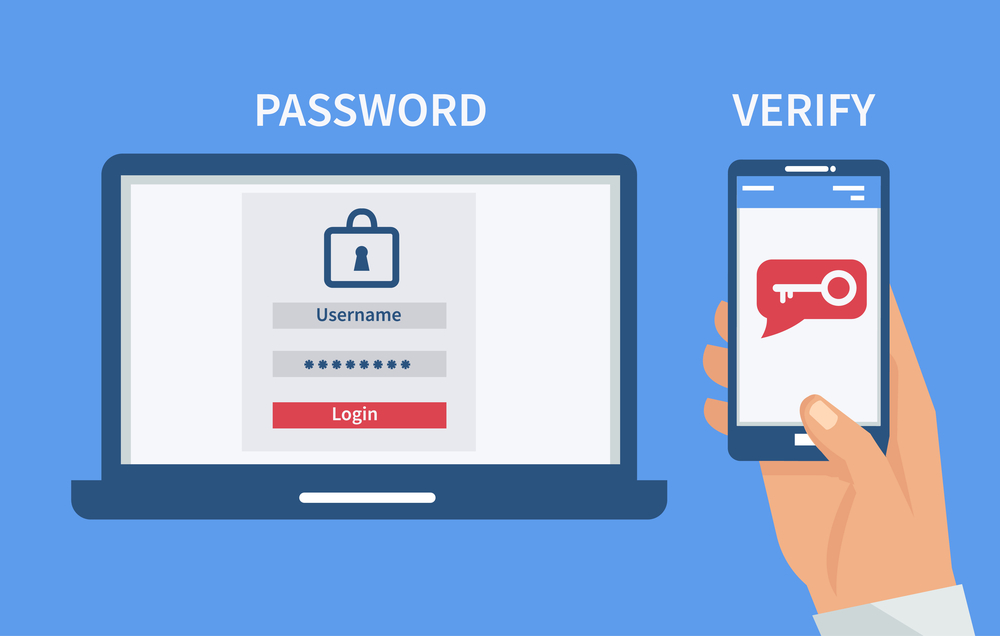
With two-factor authentication (2FA), you add another step to your login. Even if someone has your password, they still can’t get in without that second factor.
But not all 2FA is equal. Here’s a breakdown:
| 2FA Method | Security Level | Notes |
|---|---|---|
| SMS text code | Low | SIM-swapping attacks can intercept texts |
| Email code | Low-Medium | Only as secure as your email account |
| Authenticator app (Google Authenticator, Authy) | High | Codes generated offline, much more difficult to intercept |
| Hardware security key (YubiKey) | Very High | Physical device needed, nearly impossible to hack remotely |
| Biometric (fingerprint, face ID) | High | Most users find biometrics convenient and secure |
If your neobank offers only SMS-based 2FA, use it — using any form of 2FA is still better than nothing. But if an authenticator app is available, switch to one today.
Seriously, go to your security settings right now and make sure 2FA is on. Don’t assume. Check.
Your Recovery Email and Phone Number Are a Security Risk
Here’s something you’d probably never think about: your account recovery options can be turned against you.
If a hacker is able to gain access to your recovery email or compromise your phone number through SIM swapping, they can lock you out of your own account and reset your password.
Ensure your recovery email has a strong, unique password and its own 2FA enabled. Verify that your phone carrier account requires a PIN or passcode for any changes.
Security Audit #3 — Test Your App and Device Health
If the device from which you are accessing a perfectly locked-down account is already compromised, the rest doesn’t matter. This audit examines the health of your app and the device it runs on.
Outdated App Versions Are Open Doors
App developers are continually issuing security updates. These updates fix security flaws — holes in the code that attackers can exploit. When you put off updating your neobank or wallet app, you’re consciously leaving those holes uncovered.
Compare your current app version with the most recent version in the App Store or Google Play. If you’re more than one version behind, upgrade now.
Even better, enable automatic updates for your financial apps. This means you’re always running the most secure version without ever having to think about it.
Your Phone’s Operating System Counts Too
If your phone’s operating system is out of date, app security can only take you so far. Both iOS and Android push out regular security patches. Running an outdated OS version means running known vulnerabilities.
Check your OS version:
- iPhone: Settings → General → Software Update
- Android: Settings → System → System Update
Install any available updates. If your phone is simply too old to receive updates, that is a serious risk factor worth addressing.
What Malware on Your Phone Looks Like
Many people don’t realize phones can get malware too. It’s not as common as it is on computers, but it does happen — particularly on Android phones that install apps from outside the official app store.
Signs that your phone may be compromised:
- Battery draining faster than usual
- Apps crashing randomly
- Unusual data usage spikes
- Apps you don’t remember installing
- Phone running hot when idle
If you see these symptoms, run a mobile security scan with a reputable app like Malwarebytes for Mobile. Malware is far less common on iPhone, but the safest course of action if you suspect something isn’t right is a factory reset.
Public Wi-Fi Is a Poor Partner for Your Financial Apps
Public Wi-Fi networks at coffee shops, airports and hotels are not secure. Hackers on the same network can intercept your traffic in what’s known as a man-in-the-middle attack.
Never log in to your neobank or digital wallet using public Wi-Fi without a VPN. A VPN encodes your connection so intercepted data is unreadable.
Trustworthy VPNs include ProtonVPN, Mullvad, and ExpressVPN. Stay away from free VPNs — they usually sell your data to pay their bills.
Security Audit #4 — Check Your Transaction History and Alert Settings
The fourth audit is your financial early warning system. If something does go wrong — if a hacker gets in — you want to catch it quickly. Every hour of delay means more potential loss.
Comb Through Your Recent Transactions
Allocate 15 minutes to review your last 90 days of transactions. Look for:
- Small test charges — hackers will sometimes run tiny transactions through stolen accounts to see whether they go through before pushing through big ones
- Transfers to unfamiliar accounts
- Purchases in places you’ve never been
- Duplicate charges
- Subscriptions you didn’t sign up for
Anything suspicious? Report it through the app’s dispute or fraud reporting tool right away. Most neobanks offer a 24/7 fraud line and in-app reporting.
Your Notification Settings Are a Security Tool
Most people disable notifications because they find them annoying. That’s a mistake when it comes to financial apps.
Transaction alerts are your real-time fraud detector. If someone makes an unauthorized purchase on your account, a push notification has you on it within seconds.
Enter the notification settings of your neobank and digital wallet. Turn on alerts for:
| Alert Type | Why It Matters |
|---|---|
| Every transaction | Catch unauthorized charges immediately |
| Large transactions | Triggered when a transaction crosses a certain amount |
| Login from new device | Know the moment someone else tries to get in |
| Password or email change | Alert when account details are being changed |
| Failed login attempts | Indicates someone is trying to break in |
Turn every single one of those to “on.”
Set Spending Limits and Freeze Features
Some neobanks allow you to set a ceiling on daily spending and instantly freeze your card. These are powerful tools.
If you set a daily transfer cap of $500, even if someone gets into your account, they can’t drain it overnight. If there’s something suspicious, you can freeze your card in seconds from the app before calling support.
Find these features in your settings and configure them now. Do not wait until after something happens.
Review Your Beneficiaries and Saved Payees
Saved payees and beneficiaries are pre-approved recipients for transfers. They are convenient — but also a target.
Some account takeover schemes involve adding a new payee and sending small amounts over time. Check your saved payees list. Delete anyone you don’t recognize or no longer send money to.
For more tips on staying safe online and protecting your finances in the digital age, visit Orange Dog — a helpful resource covering cybersecurity, digital tools, and smarter money habits.
A Quick Audit Checklist You Can Run Every 3 Months
Security isn’t a one-time event. It’s an ongoing habit. Here is a brief checklist you can revisit every quarter:
Account Access
- [ ] Reviewed and cleared inactive sessions
- [ ] Removed unused third-party app permissions
- [ ] Verified linked accounts and cards
Login Security
- [ ] Password is strong, unique, and updated
- [ ] 2FA is enabled using an authenticator app
- [ ] Recovery email and phone are secured
App and Device Health
- [ ] App is updated to the latest version
- [ ] Phone OS is up to date
- [ ] No signs of malware or suspicious behavior
- [ ] Not using public Wi-Fi without a VPN
Transaction and Alerts
- [ ] Reviewed last 90 days of transactions
- [ ] All transaction and login alerts are turned on
- [ ] Spending limits are configured
- [ ] Saved payees list is clean
Bookmark this. Screenshot it. Run it once every three months and your account will be much more difficult to compromise than the average user’s.
Neobank and Digital Wallet Security FAQs
Q: Are neobanks really safe to use? Yes — reputable neobanks are FDIC-insured (if you’re stateside) and operate using bank-grade encryption. But whether your account is secure also depends on what you do. The audits in this guide address your side of that equation.
Q: How can I tell if someone has hacked into my digital wallet? Scan your activity for unauthorized transactions, login alerts from unknown devices, or anything unusual like password-reset emails you didn’t initiate. If you have reason to believe a breach has occurred, freeze your account immediately and reach out to support.
Q: Is two-factor authentication via SMS that dangerous? It is a lot better than no 2FA at all. SIM swapping attacks are real but not that common for regular users. If your neobank provides an authenticator app option, use it. If SMS is all you have, enable it.
Q: What is the most secure password manager to use? Bitwarden is open-source and well respected in security circles. 1Password and Dashlane are two other strong paid choices. Don’t use browser-built-in password managers for important financial accounts.
Q: Is it possible for someone to hack into my account via a linked budgeting app? Yes, it’s possible. Third-party app connections use access tokens. If that app is compromised, your token may also be exposed. Turn off access for any apps you don’t actively use.
Q: How frequently should I run these security audits? Once every three months is a good habit. You should also run an immediate audit after any of these events: receiving a data breach notification, buying a new device, allowing someone else to use your device, or using public Wi-Fi without a VPN.
Q: What should I do right away if I think I’ve been hacked? Freeze your account or card instantly through the app. Reset your password from a secure device. Contact your neobank’s fraud team. Then work through the audits in this guide to find and shut down the point of entry.
Lock It Up Before They Get In
Hackers are patient. They collect leaked passwords. They test credentials. They bide their time until you make the mistake of not updating an app or leaving an old device logged in.
You don’t have to be perfect. You only need to make your account tougher to crack than the next person’s.
These four security audits — verifying access points to an account, hardening login security, checking the health of apps and devices, and enabling transaction monitoring — address the most frequent ways cybercriminals attack neobank and digital wallet users.
You don’t need any technical knowledge to do any of them. All of them work.
The time to have run these audits was when you first opened your account. The next best time is now.
Go check those active sessions. Update that app. Turn on those transaction alerts. Your future self will thank you.







