

Your money never sleeps — and neither do the cyberthieves.
There are more people than ever who bank through apps. Rival banks like Chime, Revolut and Monzo have helped make it faster and easier to manage money. And digital wallets such as Apple Pay, Google Pay and PayPal ensure you can tap and go to spend.
But here’s the thing — convenience is risky.
One vulnerability can cost you everything when your whole financial life is contained in an app. That’s why running a neobank & digital wallet security audit has had to become something that is not just for tech experts. It’s a skill that every ordinary user should be able to do.
This guide explains it all in plain English. No confusing jargon. No complicated steps. Just 10 smart, actionable things to do — or not do — to shield yourself from scams and swindles, beginning today.
How Much Value Does a Security Audit Actually Bring?
The majority of folks check their bank balance frequently. But hardly anyone bothers to check in on their security settings with that same vigor.
A security audit is more or less a self-check. You review your accounts, apps and settings to identify the weak spots before a bad guy does. Think of it as preparing your car for a long road trip — you want to catch problems early, not up on the highway.
Neobanks and digital wallets are created with security as part of the DNA. But there is no platform that’s 100% bulletproof. Phishing attacks, weak passwords and outdated app versions are each a door that cyberthieves try to walk through.
The good news? If you know where to look, most of these doors are easy to lock.
Tip 1 — Get a Full List of Your Accounts
Before you audit anything, it’s important to understand what you have to work with.
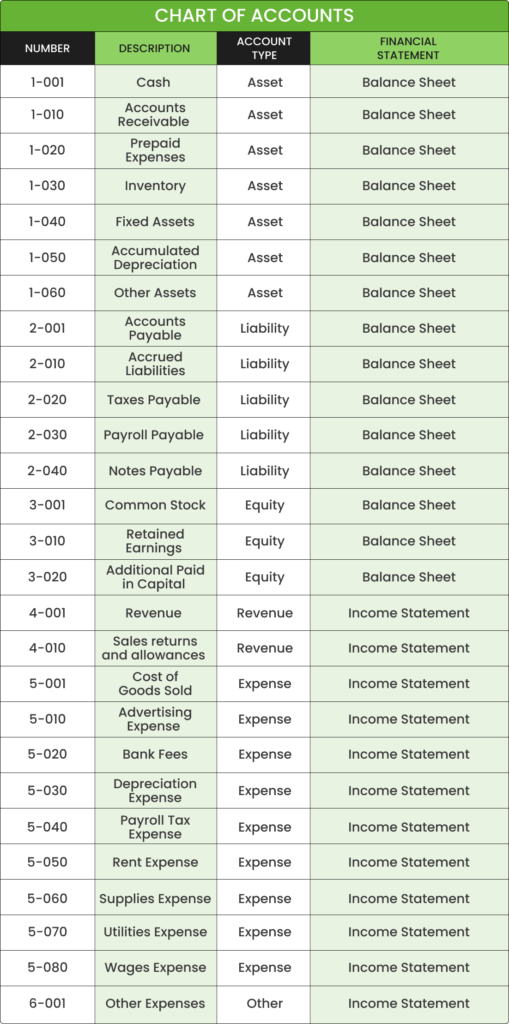
List every neobank account and digital wallet you’ve joined. Include apps you haven’t used recently. Forgotten accounts present a tremendous security risk, as they frequently contain passwords that are long out-of-date and are not monitored for activity.
Ask yourself these questions:
- Do I still use this account?
- When did I last log in?
- Is my phone number and email associated with it currently?
- Do I really remember what my password is?
| Account Type | Last Login | 2FA Enabled? | Password Updated? |
|---|---|---|---|
| Neobank (e.g. Chime) | This week | Yes | Yes |
| Digital Wallet (e.g. PayPal) | 3 months ago | No | No |
| Crypto Wallet | 6 months ago | Yes | No |
| Mobile Payment App | Yesterday | Yes | Yes |
Track everything using a basic table like the one above. Once you’ve seen it spread out, you’ll pretty soon know the weak links.
Close or delete accounts you no longer use. The sleepers are the easy targets, because no one is watching them.
Tip 2 — Think of Your Password as a Vault Combination
If it’s your pet’s name or the month you were born — stop reading and change it now.
Simple passwords are still the top reason for accounts getting hacked. And yet millions of people reuse the same simple password across multiple platforms. That’s like having the same key for your house, your car and all your safes.
What Makes a Strong Password?
A strong password should be:
- At least 12–16 characters long
- Contains at least one of each: a–z, A–Z, 0–9 and a special character
- Totally random — no names, dates or dictionary words
- Unique to every single account
Example of a bad password: mike1990
Example of a strong password: $Tr0ng!Wal1et#92
You do not have to memorize 20 different complex passwords. Use a reputable password manager such as Bitwarden, 1Password or Dashlane. These tools create and save secure passwords for you. All you have to remember is one master password.
Run a Password Audit Immediately
Most password managers have a feature for checking your security. It will alert you to reused, weak or compromised passwords. Fix those first.
Also check if any of your email addresses or passwords have been part of a data breach at haveibeenpwned.com — it’s free and takes less than a minute.
Tip 3 — Enable Two-Factor Authentication Everywhere
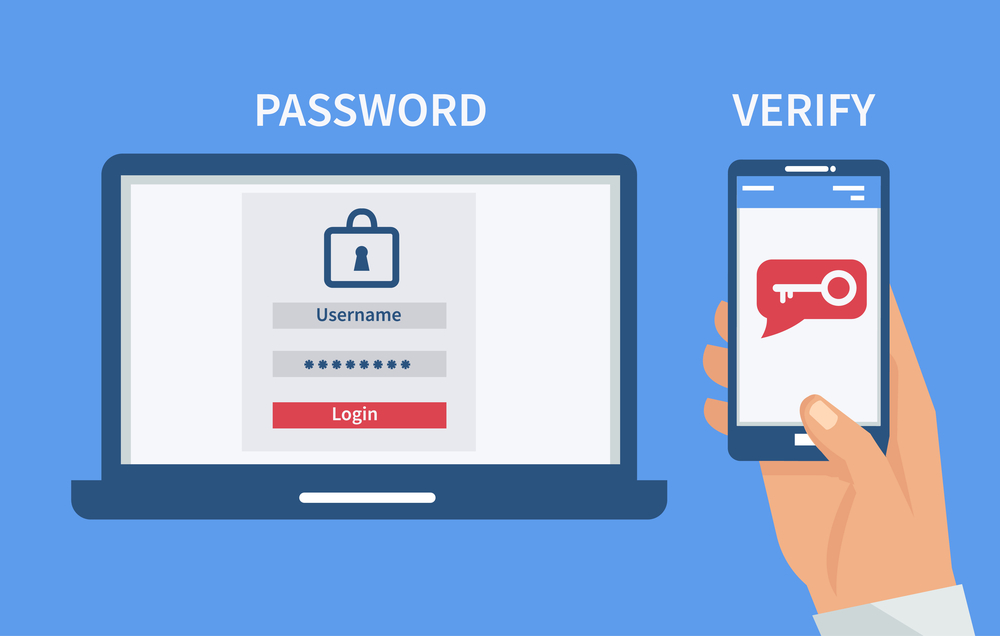
Two-factor authentication (2FA) is among the most powerful tools of security available — and that service is entirely free.
Here’s how it works: Even if someone gets your password, they can’t get into your account without a second form of verification. That second step typically involves a code sent to your phone or generated by an app.
2FA Methods (From Least to Most Secure)
| 2FA Method | How It Works | Security Level |
|---|---|---|
| SMS Text Code | A code you receive by SMS to your phone number | Medium |
| Email Code | A code delivered to your email inbox | Medium |
| Authenticator App | A time-based code from an app | High |
| Hardware Security Key | Physical USB or NFC key | Very High |
SMS codes are better than nothing, but they’re vulnerable to SIM-swapping attacks. Authenticator apps are much more secure — try either Google Authenticator or Authy.
Go into any neobank and digital wallet apps you use. Navigate to the security settings. If 2FA is not enabled, enable it now. This single action can easily prevent the vast majority of unauthorized login attempts.
Tip 4 — Limit Which Apps Can Use Your Wallet
Here’s something few people ever think about: third-party apps connected to your digital wallet.
If you sign up for a new service with “Pay with PayPal” or “Connect with Google Pay,” that app is authorized to interact with your wallet. You could accumulate dozens of these connections over time — most of which you would have long forgotten about.
How to Find Connected Apps
- PayPal: Settings → Security → Manage connected apps
- Google Pay: Settings → Payments → Manage payment methods
- Apple Pay: Settings → Wallet & Apple Pay → Linked apps
For each one, ask: Do I still use this? Is this company trustworthy?
Remove access to anything you don’t recognize or use anymore. A sketchy third-party app could serve as a back door to your financial information.
Make this a quarterly habit. Every three months, quickly look through the list and remove any that don’t belong.
Tip 5 — Keep All Eyes on Your Transaction History
Your transaction history is one of your best early warning systems.
Fraudulent charges, even small ones, are frequently the canary in the coal mine. Criminals also make small transactions — sometimes less than $0.01 — to test whether they can use stolen card details for larger purchases.
Create a Basic Transaction Watch Process
Allot five minutes a week to browse through your transaction history. Look for:
- Charges you don’t recognize
- Subscriptions you didn’t sign up for
- Duplicate charges
- Transactions in a town or country you’ve never visited
- Purchases made at odd hours
In most cases, you can configure neobanks and digital wallets to send instant push notifications for every transaction. Turn these on. You will know within seconds when anything suspicious shows up in your account.
If you see something, report it immediately. The sooner you do it, the higher the probability that you will be able to recover your money.
Tip 6 — Lock Your Device, Not Just the App
You might have the most secure neobank app in the world — but if you leave your phone unlocked, all bets are off.
Consider this: If someone grabs your unlocked phone and a banking app is already logged in, your money is already theirs.
Device Security Checklist
- Screen lock: Use a PIN, pattern, fingerprint, or face recognition — never leave your screen unlocked
- Auto-lock timer: Set your screen to lock after 30 seconds of inactivity
- Biometric login: Turn on fingerprint or face ID for your banking apps
- App lock: A few devices allow you to lock specific apps — apply this to your wallet apps
- Remote wipe: Arrange to be able to remotely delete your phone should it become lost or stolen (Google Find My Device or Apple Find My)
And keep your phone’s operating system current. Security updates address vulnerabilities that hackers are currently exploiting. Not updating is like leaving a window cracked.
Tip 7 — Audit Your Recovery Options and Backup Codes
What to do when you don’t have access to the account anymore?
This is something most people don’t think about until it becomes an emergency. But things like recovery options — such as backup email addresses, phone numbers and backup codes — are also points of entry for attackers.
Recovery Security Audit Steps
Step 1: Confirm which email is linked to each account. Ensure it’s an active email to which you still have access, and give it its own strong password and its own 2FA.
Step 2: Confirm the phone number on file. Update your number everywhere if you’ve recently changed it. An old number could be given to someone else.
Step 3: If an app gave you backup codes when you set up 2FA, ensure that you’ve saved them somewhere secure — such as a password manager or a printed paper put in a safe place.
Step 4: See if your account has security questions. If so, make sure the answers aren’t things easily gleaned from your social media profile.
A security audit seldom takes recovery options into account. Don’t skip them.
Tip 8 — Be Extra Careful on Public Wi-Fi and Shared Devices
Public Wi-Fi is everywhere — coffee shops, airports, hotels. It is also a playground for hackers.
Anytime you log on to a public network, everything you send and receive is potentially up for grabs. That information includes not only login credentials and session tokens, but also transaction details.
Tips for Secure Banking While on the Move
- Never log into your neobank or digital wallet on public Wi-Fi without a VPN
- A VPN (Virtual Private Network) will encrypt your internet connection, making it far more difficult for anyone to eavesdrop on your data
- If you absolutely have to bank in public, use your phone’s mobile data rather than Wi-Fi
- Do not save passwords in the browser of a shared or public computer
- Always log off properly when you use other people’s devices
- Before visiting a login page, check the URL — make sure it starts with https:// and is identical to the official website
A VPN is not just for tech people. Services such as NordVPN, ExpressVPN and ProtonVPN are simple to configure and use. Think of them as a private tunnel that shuttles your internet activity safely back and forth.
For more tips on staying safe in the digital finance space, check out Orange Dog — a great resource for everyday financial and tech guidance.
Tip 9 — Recognize the Warning Signs of Phishing and Social Engineering
Not all attacks occur in software. At other times, the attacker is an individual who pretends to be somebody else.
Phishing is what happens when a scammer sends a fraudulent email, text or message that seems to be from your bank or wallet provider. It is an attempt to deceive you into clicking a link and providing your login information.
Common Phishing Red Flags
| Warning Sign | What It Looks Like |
|---|---|
| Urgency | “Your account will be suspended in 24 hours!” |
| Suspicious sender | Email from “support@paypa1.com” instead of “paypal.com” |
| Generic greeting | “Dear Customer” rather than your actual name |
| Shady links | URL doesn’t match the legitimate website |
| Demands for personal data | Requests your password or entire card number |
| Too-good-to-be-true offers | “You’ve won a $500 gift card” |
Reputable banks and wallet providers will never ask for your password by email, text or phone.
If you receive a suspicious message, don’t click any links. Navigate directly to the official app or website by entering the URL manually. Then report the phishing incident to the company.
Scammers engage in what’s known as social engineering — they play with your emotions, be it panic, urgency or excitement — hoping you won’t stop and think. Stay calm. Slow down. Actual emergencies can give you 60 seconds to confirm.
Tip 10 — Schedule Security Audits Regularly on Your Calendar
A security audit is not a one-time activity. It’s an ongoing habit.
Threats evolve. New vulnerabilities get discovered. Apps introduce new features, which come with new permissions. What seemed safe six months ago may have vulnerabilities today.
Suggested Security Audit Schedule
| Audit Task | Frequency |
|---|---|
| Review transaction history | Weekly |
| Review third-party connected apps | Every 3 months |
| Update passwords | Every 3–6 months |
| Review recovery options | Every 6 months |
| Check for data breaches | Monthly |
| Update apps and phone OS | As updates are available |
| Full account inventory check | Yearly |
Set a recurring calendar reminder. Think of your quarterly security audit the way you think about a trip to the dentist — not something you look forward to, but if you don’t do it, things get really bad down the line.
Just 30 minutes every couple of months can make a huge difference in your overall digital security.
Quick-Glance Security Health Checklist
Here is a diagnostic checklist to determine where you currently stand:
- [ ] Full account inventory completed
- [ ] Strong, unique passwords on all accounts
- [ ] Password manager set up and in use
- [ ] 2FA enabled on all accounts
- [ ] Third-party app access checked and cleaned up
- [ ] Transaction notifications turned on
- [ ] Phone screen locked and auto-lock active
- [ ] Recovery options and backup codes verified
- [ ] VPN configured for use on public networks
- [ ] Phishing awareness practiced
- [ ] Security audit reminder set on calendar
If you have ticked off all 11 boxes, well done. If not — begin at the top and make your way down.
FAQs About Neobank & Digital Wallet Security Audits
Q: How frequently should I conduct a security audit of my digital wallet?
A full audit is recommended every three to six months. But there are some tasks — such as reviewing transactions and looking for evidence that your data has been stolen — that should be done more frequently, possibly every week or month.
Q: Are neobanks as safe as traditional banks?
Nearly all neobanks employ bank-grade encryption and are FDIC insured (in the US) or backed by equivalent guarantees in other countries. But they are completely online, which makes your own device security, as well as the habits you apply to your accounts, a larger part of your safety.
Q: What action should I take if a transaction appears on my account that wasn’t made by me?
Report it to your bank or wallet provider through their official app or website immediately. If it’s an option, freeze your card. Change your password immediately and activate 2FA if you haven’t already.
Q: Are digital wallets safe for big-ticket items?
Yes, digital wallets typically rely on tokenization — your actual card number isn’t shared with the merchant. This can potentially make large purchases safer than with a physical card.
Q: What is the biggest mistake newcomers to digital wallets make in terms of security?
Reusing passwords and bypassing 2FA are the most frequent and most dangerous mistakes. Both are easy to fix and they change everything.
Q: If my banking app is already encrypted, do I need a VPN?
Banking apps use encryption to secure the data they send and receive. But a VPN adds an extra layer — the network itself can’t see your activity. We highly recommend using a VPN on public Wi-Fi, even if you’re already using an encrypted app.
Q: If someone has my phone, can they hack into my digital wallet?
Much harder, if your phone is locked with a strong PIN or biometric security. This is why device-level security matters as much as app-level security. Turn on remote wipe just in case.
Wrapping It All Up
Your financial security isn’t like setting the timer on your air-conditioning unit and forgetting about it. This is something that you actively have to take care of — like brushing your teeth or changing the oil in a car.
You don’t need a tech degree to perform a neobank & digital wallet security audit. It’s just a matter of time, a checklist and the good habit of paying attention.
Start small. Choose two or three of these tips and start using them today. Then return a week later and do two or three more. Before you realize it, you’ll have a truly secure digital financial system in place.
Cybercriminals look for easy targets. When your accounts are sealed with strong passwords, two-factor authentication and regular check-ins — you stop being easy.
That’s the goal. Make it hard for the bad guys. Protect what’s yours.







