

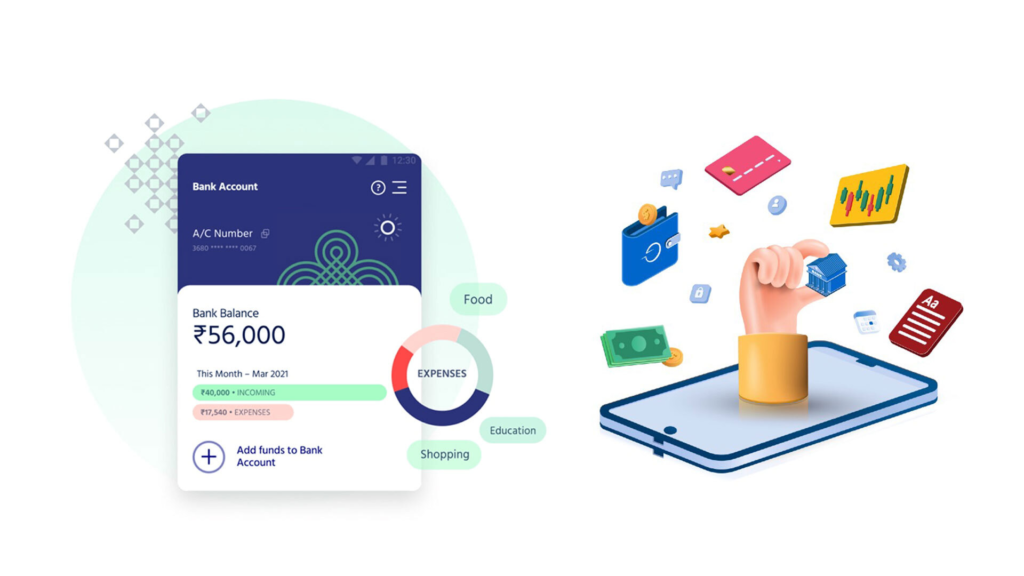
Your money is going digital — at a head-snapping pace. Millions of people now rely on neobanks and digital wallets such as Cash App, Chime, Revolut, PayPal and Google Pay to manage their money. No branches. No paperwork. Just a phone and an app.
But here’s the part no one talks about enough: digital convenience comes with digital risk.
Hackers are getting smarter. Phishing schemes are more effective than ever. And unlike traditional banks, many of these neobanks are upstart firms that have little direct oversight and sometimes a slower response time when something goes wrong.
That’s why neobank and digital wallet security assessments are not only IT professional material or for big corporations. They’re for everyday folks — and that means you — who just want to do what they can to ensure their hard-earned money will actually be safeguarded.
This guide details 7 crucial security audits for any user to perform on their digital banking apps. No tech degree required. Just a matter of minutes and the proper checklist.
Why Neobanks Need Security Audits – For Real
Let’s be clear about what a “security audit” means for the average user.
It’s not as if you’re going to hire a cybersecurity firm. It’s a matter of routinely inspecting your accounts, settings and habits to identify vulnerabilities before a hacker can do it for you.
You can think of it the way you check your car’s tire pressure. You shouldn’t wait for a blowout to realize the tire was low. You check ahead of time.
Neobanks are almost fully cloud based. Your data — account numbers, transaction history, ID documents — resides on servers you can’t see. That makes regular risk assessments of your personal safety obligatory.
Here’s a brief take on why this matters:
| Threat Type | How Common? | Average Financial Loss |
|---|---|---|
| Phishing attacks | Very Common | $1,000 – $10,000 |
| Account takeover | Rising Fast | $5,000+ |
| SIM swapping | Increasingly common | $10,000+ |
| Fake apps/wallets | Growing threat | Varies widely |
| Weak password breaches | Extremely common | $500 – $3,000 |
These aren’t rare events. They take place every day to the average person. And the only defense is a proactive one.
Audit #1 — Check Out Who’s Actually Logged Into Your Account
Your Login History Is a Gold Mine For Thieves
Most neobanks and digital wallets list active sessions or recent logins. This will show you what devices have used your account, when and where.
Go check yours right now.
If you notice a device you don’t recognize or logins from a city you’ve never been to, that is a warning sign. It might be that someone else is in your account.
How to Do This Audit
Open your app and in settings or options you can find Security / Login Activity / Active Sessions. On PayPal, it’s within Security Settings. On Revolut, it is tucked inside the profile menu. Most apps have something similar.
What to look for:
- Logins from unfamiliar locations
- Devices you don’t recognize
- Login times when you were asleep or offline
If anything seems strange, sign out of all sessions and reset your password. Then get in touch with the app’s support team.
How Often Should You Do This?
Monthly is a good enough frequency. If you travel frequently, or you use public Wi-Fi on a regular basis, bump that up to once a week.
Audit #2 — Rate the Strength of Your Passwords (Honestly)
Bad Passwords Are Still the Top Issue
You’ve heard it a thousand times: use a strong password. Yet millions still use “password123” or their birthday.
And here’s why this is risky in the case of neobanks: unlike traditional banks, a lot of digital wallets do not include automatic fraud coverage. If someone does get in because you used a weak password, getting your money back can be painful and take a long time.
What Makes a Password Actually Strong?
| Weak Password | Strong Password |
|---|---|
| john1985 | Xk#9mPqL2@vT |
| mybank123 | !Tr7$wQnB4#pZ |
| ilovemoney | 8Yw&KpJ!3mNd@ |
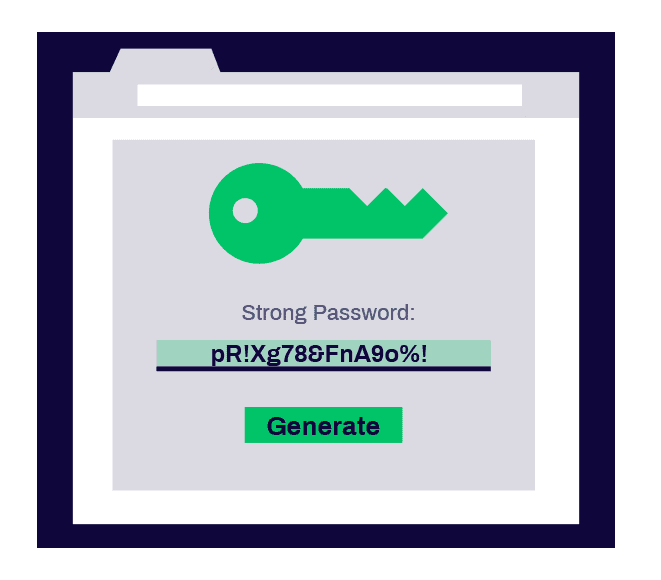
A strong password is 12 or more characters in length, alternates between upper and lower case letters, includes numerical digits and symbols, and isn’t related to anything about you.
Use a Password Manager
There’s no need to remember complicated passwords. Take advantage of a password manager such as Bitwarden (free) or 1Password. These utilities create and save secure passwords on your behalf.
Don’t ever use the same password with multiple apps. If one service gets hacked and your password is exposed, all of your other accounts that use this password are automatically at risk.
Audit Steps for Passwords
Then do the same for every neobank and digital wallet you use. Ask yourself:
- Is this password specific to this app?
- Is it longer than 12 characters?
- Does it include letters, numbers and symbols?
- Have I changed it in the last six months?
If you said “no” to any of these, change your password today.
Audit #3 — Two-Factor Authentication Is Not An Option Anymore
One Lock Isn’t Enough
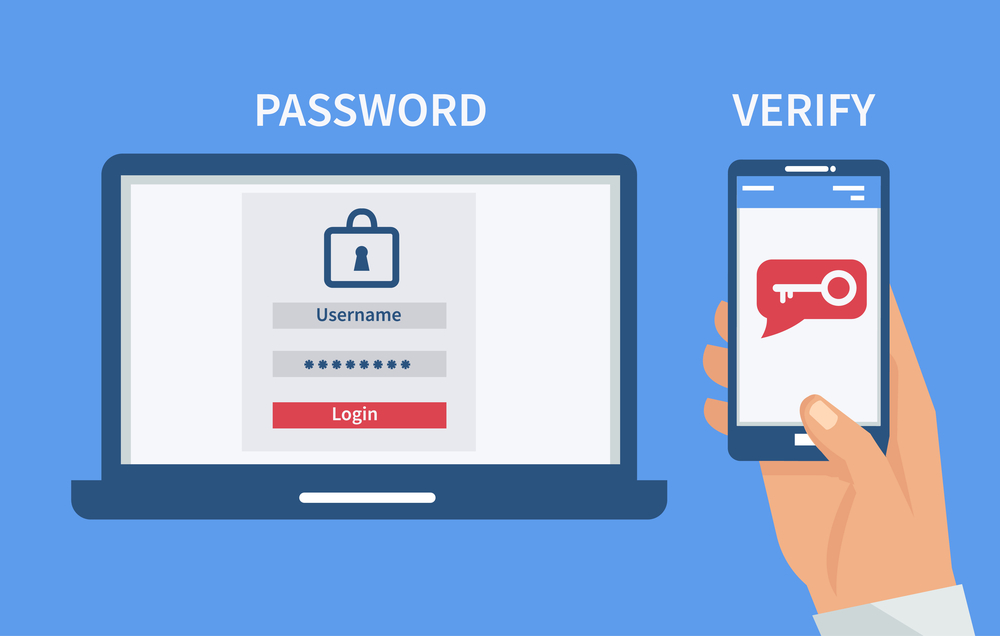
Suppose your front door had just a single lock on it. Now, imagine that you could bolt on a second lock that was completely different — a new one that required a hacker to get access to your physical phone. That’s what two-factor authentication (2FA) is for.
If someone hacks your password, 2FA prevents them from accessing your account without a second verification step.
Types of 2FA: Which Is Most Secure?
| 2FA Method | Security Level | Notes |
|---|---|---|
| SMS text code | Medium | Can be intercepted via SIM swap |
| Authenticator app (Google, Authy) | High | Harder to hack |
| Hardware key (YubiKey) | Very High | Best for high-value accounts |
| Biometrics (fingerprint/face) | High | Easy and secure |
SMS-based 2FA is better than nothing, but it has a known vulnerability called SIM swapping — where hackers manage to get your phone carrier to transfer your number over to their SIM card. If you use SMS codes, upgrade to another option such as an authenticator app like Google Authenticator or Authy.
How to Run This Audit
Access each of your neobank and wallet apps. Navigate to the security settings. Look to see whether 2FA is on. If it’s not, enable it now. If it is using SMS, you might want to switch over to an authenticator app.
This one simple action can stop the majority of account takeover attacks.
Audit #4 — Look Into Suspicious Transactions (Even Small Ones)
Hackers Think Small First
Here’s a strategy some people might not even be aware of. In many cases, when criminals first successfully breach a financial account, they do not attempt to steal the entire balance. Instead, they make small test transactions — $0.99, $1.50, $2.00 — to see if the account owner is paying attention.
If you don’t catch these small charges, they escalate. Quickly.
Building a Transaction Review Habit
Schedule 10 minutes every Sunday to review what you’ve spent. This needn’t be a lengthy process. You’re just searching for anything that you don’t immediately recognize.
When reviewing, ask:
- Did I make this purchase?
- Is this a merchant name I recognize?
- Is the amount what I expected?
- Are there several small charges from the same unfamiliar name?
Most neobanks, such as Chime and Monzo, allow you to enable instant push notifications for every single transaction. Turn this on. That means you’ll be notified of unauthorized charges in real time, not days after the fact.
If You See Something Suspicious, Here’s What to Do
Don’t wait. Contact your neobank’s support immediately. There are live chat options in most apps. Freeze or lock your card via the app — most neobanks now have this as a single-tap function.
Document everything. Take screenshots. The faster you do this, the higher your odds of reversing the fraudulent charges.
Audit #5 — Check App Permissions on Your Phone
Your App Might Know Too Much
When you install a financial app, it typically requests permission to access your camera, contacts, location data, microphone and storage. Some of these are necessary. Many are not.
A legitimate digital wallet needs camera access to scan checks. It doesn’t require access to your microphone or entire contact list.
Unnecessary permissions are a privacy risk. They may also indicate that an app is collecting data it has no business hoarding.
How to Audit App Permissions
On iPhone: Go to Settings → Privacy & Security, and review all of the categories there (Camera, Microphone, Contacts, Location).
On Android: Go to Settings → Apps → Tap the app → Permissions.
For every financial app, ask yourself whether the permission is appropriate for what the app does.
Reasonable permissions for a neobank/digital wallet:
- Camera (to deposit checks or verify your ID)
- Notifications (for transaction alerts)
- Face ID / Touch ID
Suspicious or unnecessary permissions:
- Microphone (what does a payment app need to listen in for?)
- Full contacts access
- Access to photos beyond what you choose to share
- Background location tracking
Revoke any permissions that don’t seem to square. If the app breaks without a suspicious permission, that’s one to report or stop using altogether.
Audit #6 — Make Sure You’re Running the Real, Official App
Fake Apps Are Becoming an Increasingly Ominous Problem
This is the one that shocks a lot of people. Real banking apps are being impersonated by fake apps. They’re built to steal your login credentials as soon as you enter them.
This isn’t a far-fetched scenario. Counterfeit versions of popular financial apps have been taken down from both the Google Play Store and Apple App Store after reportedly stealing users’ information.
For broader tips on staying safe in the digital financial world, explore more personal finance and security guides here.
How to Check If Your App Is Real
Step 1: Visit the neobank or digital wallet’s official website. Find a link to their official app. Don’t search for the app directly in an app store — go to the site first.
Step 2: Look up the developer name in the app store. For instance, the actual PayPal app is published by “PayPal, Inc.” Anything even slightly different — such as “PayPal Services LLC” or a misspelling — is a red flag.
Step 3: Check the number of downloads and reviews. The real apps of major neobanks have millions of downloads. A shady app could have just a few hundred.
Step 4: See when the app was first published. A brand-new app claiming to be an established bank is always suspect.
Step 5: Look for a verified checkmark or “Editors’ Choice” badge in the app store.
Also Check: Is Your App Up to Date?
Older apps are known to have security bugs. Developers patch these with updates. If you’re using an older version of your banking app, you might be exposed to vulnerabilities that have already been patched.
Enable automatic updates for your financial apps or develop a habit of checking for updates on a weekly basis.
Audit #7 — Lock Down Your Account Recovery Options
Recovery Options Are a Backdoor to Your Account
What do you do when you forget your password to log into an account? Typically you get back in through a phone number, email or security questions.
Here’s the issue: if a hacker takes over your recovery email or phone number, they do not actually need your password at all. They simply select “Forgot Password” and hijack your account through the recovery process.
That’s why your account recovery options are every bit as important as your password.
The Recovery Options Audit
Go inside every neobank or digital wallet account and check the following:
Recovery email: Is it still an active account that you can access? Does it have a strong, unique password and 2FA? None of your accounts are safe if that recovery email is compromised.
Recovery phone number: Is that still your number? Do you have SIM swapping protections on your phone carrier account? You can add a PIN to your carrier account to block unauthorized SIM transfers — give your carrier a call and do that.
Security questions: If your app has these, don’t use obvious answers. In the age of social media, your mother’s maiden name and the name of your first pet are often retrievable with a little online digging. Think about using fake but memorable responses — just make sure you store the answers somewhere safe.
Backup codes: Several apps provide one-time backup codes to use so you don’t lose 2FA access when a device is lost or dead. Keep them in a safe, offline place.
One More Thing: Linked Accounts
See if any outside accounts or apps are associated with your digital wallet. Services that you signed up for years ago, then forgot about, can become points of entry for attackers. Revoke access for any apps you no longer use.
According to the Federal Trade Commission (FTC), reviewing linked accounts and connected apps is one of the most overlooked steps in protecting your financial identity online.
Building a Basic Security Audit Schedule
You don’t need to perform all seven of these audits every day. Here’s a practical schedule:
| Frequency | Audit to Perform |
|---|---|
| Weekly | Review transactions, check push notifications are working |
| Monthly | Review login sessions, check app permissions |
| Every 3 months | Update passwords, review 2FA settings |
| Every 6 months | Check app is legitimate and up to date, audit linked accounts |
| Annually | Full audit across all seven areas, review recovery options |
Add that to your phone’s notes app or calendar. Treat it as though you have a bill to pay.
Red Flags That Say You Need an Audit Right This Second
Don’t wait until it’s time for your scheduled review if you notice any of these:
- You get a login alert you didn’t initiate
- You receive an unsolicited password reset email
- Your app is acting strange or logging you out unexpectedly
- You see a transaction you don’t recognize
- You lose your phone or it gets stolen
- You receive notice of a data breach from a service you use
- You recently used public Wi-Fi to access your financial apps
Any one of these is your warning to run through the seven audits immediately and contact your neobank’s support team fast.
FAQs About Neobank & Digital Wallet Security Audits
Q: How often should I do a security audit of my digital wallet? You should at least do a complete audit every six months. For important checks like your transactions, once a week is optimal. The larger the sum of money you are holding in digital accounts, the more often you should check.
Q: Are neobanks as safe as old-fashioned banks? While many neobanks are FDIC insured and have strong encryption, the actual security is often similar. But they don’t have the same physical branch locations and often have smaller customer service teams, so catching issues early is even more critical. Your personal security habits matter more with neobanks.
Q: What if my digital wallet has been hacked? Act fast. Immediately lock your card or account in the app. Change your password. Enable 2FA if it wasn’t on. Get ahold of support and report the incident. Take screenshots as evidence of any suspicious activity. Contact the FTC to report fraud at reportfraud.ftc.gov if you’re in the US.
Q: Is it safe to use a digital wallet over public Wi-Fi? No. Public Wi-Fi is unencrypted and can be easily intercepted. If you have to use it, enable a VPN first. Better still, use your mobile data for any financial transactions.
Q: Can I trust authenticator apps more than text message codes? Yes. Authenticator apps produce codes directly on your device and aren’t susceptible to SIM swapping. They are much more secure than SMS-based 2FA.
Q: Do I need to audit apps that I hardly use? Absolutely. Dormant accounts are actually riskier because they become “out of sight, out of mind” and you are more likely to miss suspicious activity. Either audit them or delete the account if it isn’t useful anymore.
Q: I’ve never done a security audit — what’s the first step with the biggest payoff? Begin with Audit #3: enable two-factor authentication on all your financial apps. That’s about the most transformative thing you can do in under five minutes.
Keeping Your Digital Money Actually Safe
Here’s the bottom line.
Between neobanks and digital wallets, staying on top of your finances is faster and easier than ever. But that convenience comes with an obligation — one that’s yours.
There is nothing banks can do to protect you from yourself and your weak passwords. Apps can’t save you if you dismiss those suspicious login alerts. When weeks have gone by, fraud teams can’t always retract a charge.
These seven neobank and digital wallet security audits return control to you. They’re not complicated. They don’t take much time. And they may save you hundreds or even thousands of dollars.
Choose any audit from this list and run it today. Then schedule the rest. Consider security a habit, not an afterthought.
The attention you give your digital wallet is what makes it secure.







