

There’s a quiet truth about security audits that doesn’t get talked about enough: the difference between a stressful audit and a smooth one is rarely about effort—it’s about visibility.
You don’t fail audits because nothing is in place. You fail because you can’t prove what’s happening inside your systems in a clear, consistent, and traceable way.
Over time, I stopped chasing “perfect security” and started building a stack of tools that gave me clarity. Not dashboards for the sake of dashboards—but tools that answered real audit questions:
- Who accessed what?
- What changed, and when?
- Are we exposed right now?
- Can we prove compliance instantly?
This article walks through six security audit tools I rely on daily. More importantly, it explains how they fit together, what they actually solve, and how to use them without overcomplicating your setup.
tool 1: centralized logging system (siem)
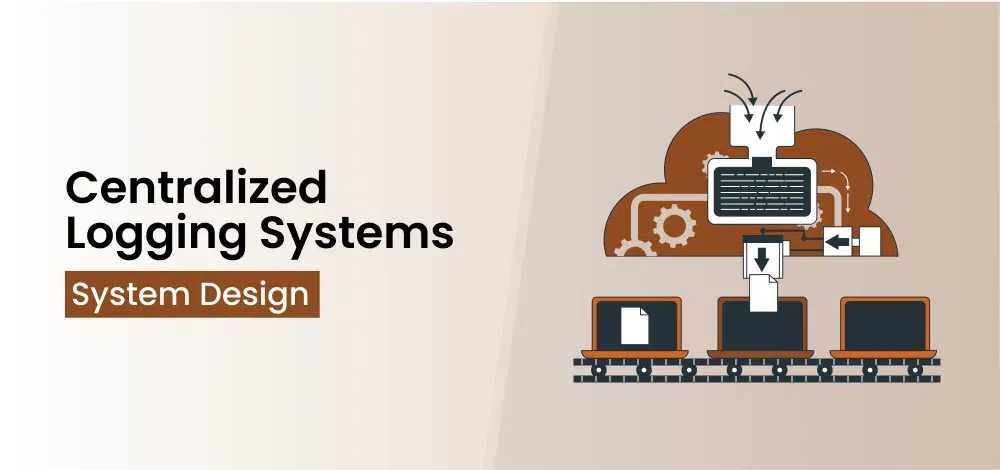
If I had to keep only one tool, it would be a centralized logging system—often called a SIEM (Security Information and Event Management).
Why? Because audits revolve around evidence. And logs are evidence.
Without centralized logging, your data is scattered across services, databases, APIs, and infrastructure. During an audit, that fragmentation becomes a liability.
what a siem solves:
- Aggregates logs from multiple systems
- Normalizes data for analysis
- Enables search across events
- Supports audit trail reconstruction
table: before vs after centralized logging
| Aspect | Without SIEM | With SIEM |
|---|---|---|
| Log storage | Scattered | Centralized |
| Investigation time | Slow | Fast |
| Audit readiness | Low | High |
| Incident detection | Delayed | Near real-time |
simple log flow chart:
System Events → Log Collection → Central Storage → Analysis → Alerts
daily usage example:
Every morning, I review:
- Failed login attempts
- Unusual API access patterns
- Permission changes
This takes minutes—but prevents hours of audit stress later.
tool 2: vulnerability scanner
You can’t fix what you don’t know is broken. Vulnerability scanners make the invisible visible.
These tools continuously scan your systems for:
- Outdated software
- Misconfigurations
- Known security flaws
table: vulnerability categories
| Category | Example |
|---|---|
| Software vulnerabilities | Unpatched libraries |
| Configuration issues | Open ports |
| Credential risks | Weak passwords |
| Network exposure | Publicly accessible services |
chart: vulnerability lifecycle
Discovery → Prioritization → Fix → Verification
daily habit:
Instead of waiting for weekly reports, I:
- Check critical vulnerabilities daily
- Prioritize based on severity
- Track resolution time
table: severity prioritization
| Severity | Action Timeframe |
|---|---|
| Critical | Immediate (same day) |
| High | 24–48 hours |
| Medium | 1 week |
| Low | Scheduled |
impact:
This reduces the chance of auditors finding issues before you do.
tool 3: identity and access management (iam) dashboard
Access control is one of the first areas auditors inspect. And it’s often where problems hide.
An IAM dashboard provides visibility into:
- Who has access
- What permissions they hold
- When access was granted or modified
table: access control risks
| Risk | Example |
|---|---|
| Over-permission | Admin rights for junior staff |
| Orphan accounts | Ex-employee still active |
| Role confusion | Undefined permission structures |
| Lack of logging | No record of changes |
simple access model:
User → Role → Permissions → Activity Logs
daily checklist:
| Check | Action |
|---|---|
| New accounts | Verify legitimacy |
| Permission changes | Review for anomalies |
| Inactive users | Disable or remove |
chart: access risk reduction
No IAM → High Risk
Basic IAM → Medium Risk
Advanced IAM + Monitoring → Low Risk
lesson:
Access is not just a technical setting—it’s a compliance responsibility.
tool 4: real-time threat detection system

Logs tell you what happened. Threat detection tells you what’s happening right now.
These systems analyze behavior and flag:
- Suspicious login patterns
- Unusual transaction activity
- Data exfiltration attempts
table: detection capabilities
| Capability | Benefit |
|---|---|
| Behavioral analysis | Detect anomalies |
| Pattern recognition | Identify known attack types |
| Real-time alerts | Immediate response |
| Automated responses | Block threats instantly |
chart: detection speed comparison
No Detection → Incident unnoticed
Delayed Detection → Damage occurs
Real-Time Detection → Threat stopped early
daily usage:
- Monitor alerts
- Investigate anomalies
- Adjust detection rules
impact:
Faster detection directly reduces financial and reputational damage.
tool 5: compliance management platform
Audits are not just about security—they’re about compliance alignment.
A compliance platform helps track:
- Policies
- Controls
- Evidence
- Audit readiness
table: compliance tracking
| Component | Function |
|---|---|
| Policies | Define rules |
| Controls | Enforce rules |
| Evidence | Prove compliance |
| Reports | Present audit data |
chart: compliance workflow
Policy → Control → Monitoring → Evidence → Audit
daily habit:
- Update control status
- Upload evidence
- Track compliance gaps
benefit:
Instead of scrambling during audits, everything is already organized.
tool 6: endpoint security monitoring tool
Endpoints—laptops, mobile devices, servers—are often the weakest link.
Endpoint monitoring tools provide:
- Device-level visibility
- Malware detection
- Activity tracking
table: endpoint risks
| Risk | Example |
|---|---|
| Malware infection | Compromised device |
| Unauthorized access | Stolen credentials |
| Data leakage | File transfers |
| Unpatched systems | Outdated OS |
chart: endpoint security maturity
No Monitoring → High Risk
Basic Antivirus → Medium Risk
Advanced Monitoring → Low Risk
daily checks:
- Device health status
- Security alerts
- Patch compliance
result:
You gain control over the most unpredictable part of your system.
how these tools work together
Individually, each tool solves a specific problem. Together, they create a layered security audit system.
integration chart:
Logs (SIEM)
↓
Threat Detection
↓
IAM + Endpoint Monitoring
↓
Vulnerability Scanner
↓
Compliance Platform
table: tool synergy
| Tool | Primary Role | Supports |
|---|---|---|
| SIEM | Visibility | All tools |
| Vulnerability Scanner | Risk identification | Compliance |
| IAM | Access control | Threat detection |
| Threat Detection | Real-time security | SIEM |
| Compliance Platform | Audit readiness | All tools |
| Endpoint Monitoring | Device security | Threat detection |
key idea:
Security is not about tools—it’s about how they connect.
practical daily workflow
Here’s how a typical day looks using this stack:
morning:
- Review SIEM logs
- Check critical vulnerabilities
midday:
- Monitor threat alerts
- Validate access changes
end of day:
- Update compliance records
- Review endpoint status
table: daily workflow
| Time | Activity |
|---|---|
| Morning | Logs + vulnerabilities |
| Midday | Threat monitoring + IAM checks |
| Evening | Compliance + endpoint review |
This routine takes less than an hour—but keeps systems audit-ready at all times.
common mistakes to avoid
Even with the right tools, mistakes happen.
table: common pitfalls
| Mistake | Consequence |
|---|---|
| Tool overload | Complexity, inefficiency |
| Ignoring alerts | Missed incidents |
| Poor integration | Data silos |
| Lack of training | Misuse of tools |
lesson:
Tools don’t replace thinking—they enhance it.
bringing it all together
These six tools represent a practical, proven approach to security audits.
summary table
| Tool # | Tool Type | Impact Level | Ease of Use |
|---|---|---|---|
| 1 | SIEM | Very High | Medium |
| 2 | Vulnerability Scanner | High | Easy |
| 3 | IAM Dashboard | High | Medium |
| 4 | Threat Detection | Very High | Medium |
| 5 | Compliance Platform | High | Easy |
| 6 | Endpoint Monitoring | High | Easy |
combined effect chart:
Single Tool → Limited Visibility
Multiple Tools → Strong Visibility
Integrated Stack → Full Audit Readiness
faqs
- do i need all six tools to pass a security audit?
Not necessarily, but having coverage across these areas significantly improves your chances of passing audits smoothly.
- which tool should i start with?
A centralized logging system (SIEM) is usually the best starting point because it provides visibility across your entire system.
- are these tools expensive?
Costs vary, but many scalable and affordable options exist, especially for startups. The key is choosing tools that match your current stage.
- how often should these tools be reviewed?
Daily monitoring is ideal for critical systems, with deeper reviews conducted weekly or monthly.
- can automation replace manual security checks?
Automation reduces workload and errors, but human oversight is still essential for interpreting data and making decisions.
- what is the biggest benefit of using these tools?
The biggest benefit is visibility. When you can see what’s happening in your system, you can respond faster, prove compliance, and reduce risk effectively.
At the end of the day, security audits are not about perfection. They’re about confidence.
And confidence comes from knowing—not guessing—that your systems are working exactly as they should.







