

Neither does your money sleep — and neither do cybercriminals.
Neobanks and digital wallets have transformed how millions of people handle money. No long lines. No paperwork. It’s right there at your fingertips with just a tap on the phone on how you’re doing financially. Apps such as Chime, Revolut and, to a degree, Cash App as well as PayPal, Venmo and Apple Pay have made banking quicker and more user friendly than ever before.
But there’s a catch: as digital banking swells, so does the risk of fraud, hacking and identity theft.
In the United States, consumer fraud accounted for more than $10 billion in losses in 2023 — that from just last year alone, according to the Federal Trade Commission. A significant chunk of that stemmed from digital payment fraud and through unauthorized account access. And it’s not just the rich who get singled out — regular people are perfect victims simply because they tend to ignore fundamental security measures.
Enter neobank & digital wallet security audits.
A security audit is not some glamorous corporate procedure. Consider it like a check of your car before you take a road trip — making sure it’s locked, the tires are okay and your seatbelt functions. The only thing is that you’re doing it for your money, and you’re doing it every single day.
In this post you will find 7 smart, doable security audits that everyone can follow. No tech degree needed. Only a few minutes and the right habits.
Why You (and Your Wallet) Need to Tend to It Daily
Many people open the neobank, put their card details and don’t turn back. That is precisely the mentality hackers exploit.
Unlike traditional banks, most neobanks don’t have physical branches. There is no teller to alert to suspicious activity in person. It’s all done through apps and machines. That means you, yourself, are the front line of defense.
Here’s a look at what is at stake:
| Threat Type | How Common Is It? | Potential Harm |
|---|---|---|
| Phishing attacks | Very common | Account takeover |
| SIM swapping | Growing rapidly | Full wallet access |
| Weak passwords | Very common | Easy unauthorized access |
| Unreviewed transactions | Often overlooked | Undetected fraud |
| Public Wi-Fi breaches | Moderate | Data interception |
| App permission abuse | Rarely checked | Privacy leaks |
| Outdated app versions | Very common | Security vulnerabilities |
Each of these is a threat that can be fought off with the right daily habits. Let’s take them one at a time.
Audit #1 — Sweep Through Your Transaction History Every Morning
This is the most impactful thing that you can do.
Carve out two minutes to read through your recent transactions every morning. Check for anything you don’t recognize — even if it’s as small as $0.99 or $2.50.
Identity thieves typically trial stolen card details with small transactions before proceeding to withdraw greater amounts. If you don’t notice that small charge, there’s probably a larger one on the way.
What to Look For
- Unrecognized merchant or website charges
- Double-billed for the same transactions
- Withdrawals at weird times (midnight or 4am)
- Cross-border movements when you’re not away
- Subscription renewals you forgot about
Most neobank apps allow you to filter transactions by date, merchant or amount. Use that feature. It makes spotting the unusual somewhat easier.
If You See Something, Say Something
Don’t wait. Report it right away through the help center or dispute section of your app. The vast majority of neobanks, including Revolut and Chime, all offer in-app support around the clock. The more quickly you report fraud, the better your chances are to recover your money.
Quick Tip: Establish push alerts for each transaction. That means you’re notified the second anything happens — even while you’re sleeping.
Audit #2 — Test Your Password Strength and Update It Often
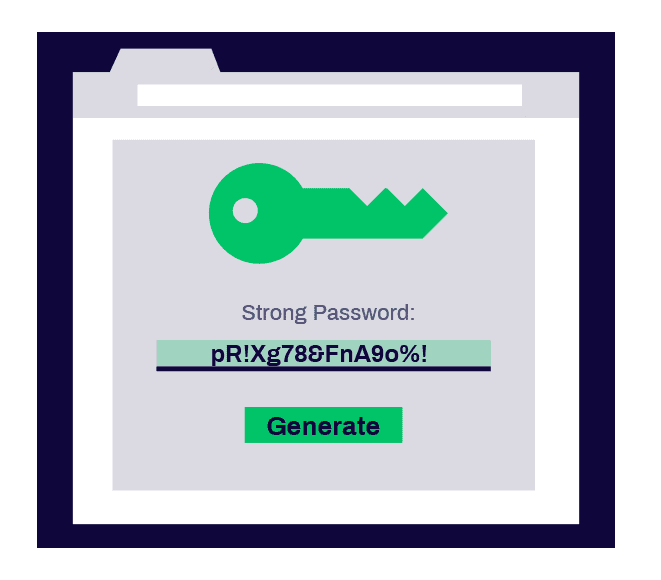
Passwords are boring. Everyone knows that. But they are still one of the largest security holes that people neglect.
A poor password is the equivalent of leaving your front door unlocked with a “Come In” sign.
What Makes a Password Weak?
- It’s shorter than 10 characters
- It is based on your name, birthday, house number or even your favourite pet
- It is the same password you use for Gmail, Instagram or Netflix
- It has not been updated in more than a year
If your neobank password meets any of those criteria, reset it today.
Building a Good Password
Try to use a passphrase, not a password. Choose three or four random words and sprinkle in some numbers and symbols.
For example: River!Comet74Blanket is much better and less guessable than JohnSmith1990.
| Password Type | Example | Level of Strength |
|---|---|---|
| Basic word + number | john123 | Very Weak |
| Common phrase | ilovecoffee | Weak |
| Random characters | J0hn$mith! | Moderate |
| Passphrase | River!Comet74Blanket | Strong |
| Password manager generated | z#8Kp@LmQ2!xW | Very Strong |
Use a Password Manager
Apps including Bitwarden, 1Password or Dashlane keep all your passwords safe and can automatically create strong ones. All you have to remember is one master password. It’s one of the savviest investments you can make in your digital security.
Audit #3 — Double-Check Your Two-Factor Authentication Settings
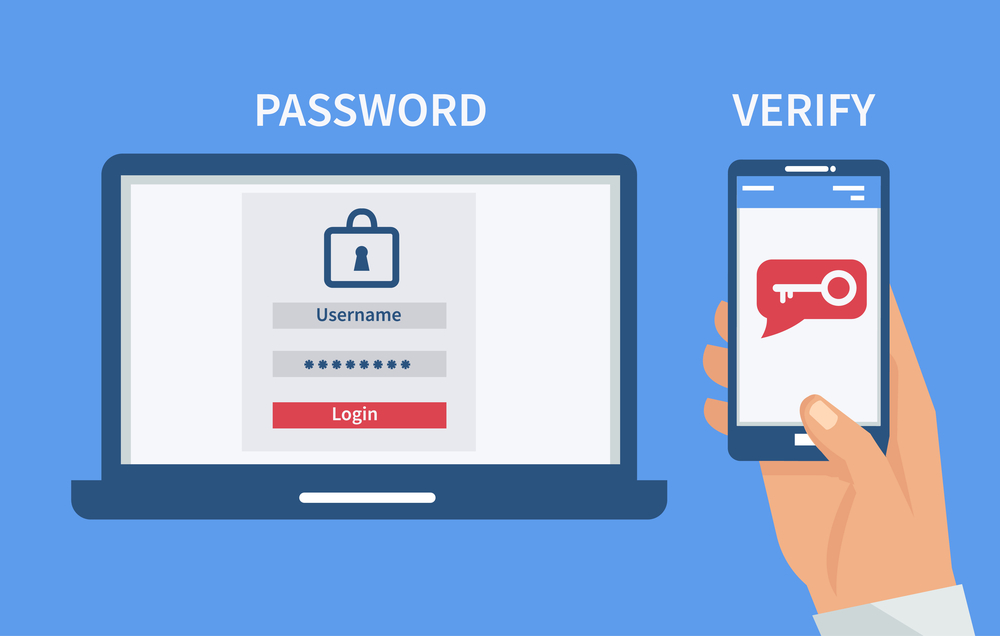
Two-factor authentication (2FA) puts a second lock on your account. Just because somebody steals your password doesn’t mean they can get in without that second verification.
Most people turn on 2FA and then forget that they ever did so. But not all 2FA systems are created equal — and some are even more vulnerable to hacking than others.
2FA Power Ranking: Weakest to Strongest
SMS text codes — The most widely used option, but the least secure. Your text messages can be hijacked in SIM swapping attacks.
Email codes — A little better than SMS, but if your email is hacked, this option doesn’t work either.
Authenticator apps — Apps such as Google Authenticator or Authy create time-limited codes on your device. Much harder to intercept.
Hardware security keys — Physical objects like YubiKey that you insert into your phone or computer. The strongest option available.
Your Daily Audit Action
Log into your neobank settings and check:
- Is 2FA turned on?
- What type of 2FA is active?
- Do you have a copy of your recovery backup codes?
- Is your phone number up to date for SMS recovery?
If you’re still using 2FA via SMS only, perhaps now would be a good time to switch to an authenticator app. A lot of neobanks, such as Revolut and N26, now offer this option directly from their apps.
Audit #4 — See Which Apps Have Access to Your Wallet
This one surprises most people.
When you sign in to third-party apps with your Google or Apple account — or connect your digital wallet to services like Shopify, Spotify or a food delivery app — those apps frequently receive some permissions over your account.
You could have hooked your PayPal to five apps in the last two years and utterly forgotten about them.
Why This Matters
That old app you’re not using anymore might still have permission to charge your wallet. Or that app might have been purchased by a new company with different security protocols. Worse, it could have been hacked.
How to Audit App Permissions
For PayPal: Settings → Security → Manage Saved Logins and Connected Apps
For Apple Pay: Settings → Wallet & Apple Pay → review linked services
For Google Pay: Open the app → tap your profile → Manage Linked Accounts
For Cash App: Settings → Linked Banks and Cards
Once you see what’s connected, ask yourself: Do I still use this app? Do I trust it? If the answer to either is no — deny access at once.
Pro Tip: Keep up this audit at least once each month. It’s a process that takes mere minutes and can help prevent stealthy, unauthorized charges.
Audit #5 — Keep Your App Forever Up to Date
Updates are not just about adding new features. More often than not, they’re patching security holes that the developers have found — holes that hackers may already know how to exploit.
Running an ancient version of your app is like leaving a broken window open in your house. Criminals know where to look.
Real-World Example
Several fintech apps were discovered to have a large vulnerability in 2021, with outdated SSL certificate handling enabling the interception of login data by attackers. The users who did not receive the updated app were exposed for weeks before they even learned that there was a problem.
Your Update Audit Checklist
- Go to your phone’s app store (Google Play or Apple App Store)
- Find your neobank or wallet app
- See if there are any updates available
- Turn on automatic updates to never miss an upgrade
Also verify that the operating system (iOS or Android) of your phone is current. A great many security fixes come at the OS level and not just to the apps.
| Update Type | Why It Matters | How Often |
|---|---|---|
| Neobank app update | Fixes security bugs, adds features | As soon as available |
| OS system update | Protects entire device | As soon as available |
| Password manager update | Keeps vault secure | As soon as available |
| Authenticator app update | Ensures code accuracy | As soon as available |
Audit #6 — Check Your Login Activity and Active Sessions
Most neobanks and digital wallets now allow you to view where and when your account was most recently accessed. This can be a comparative treasure trove of information for recognizing unauthorized access.
Think of it as an admission book at a building door. If somebody has logged in from a city that you’ve never visited — that’s a big red flag.
Where to Find Login Activity
- Revolut: Settings → Security → Active Sessions
- PayPal: Settings → Security → Recent Activity
- Chime: The app could be sending you login notifications by email — look in your inbox
- Venmo: Settings → Security → Sign-Out All Devices
Look for logins from:
- Unfamiliar cities or countries
- Devices you do not own (different phone model or browser)
- Weird timestamps (e.g. 3 AM when you were sleeping)
What to Do When Something Doesn’t Look Right
Many apps offer a “Sign Out All Devices” or “End Session” button. Use it immediately. Then change your password and 2FA settings as soon as possible. Report the suspicious activity to your app’s support team.
Set Up Login Alerts
A lot of neobanks let you get a notification every time somebody logs in. Turn that on. It’s one of the quickest ways to discover unauthorized access before any harm has been done.
Audit #7 — Assess Your Network and Device Security
Your neobank app is only as safe as your device and network.
This is one of the most neglected aspects of neobank & digital wallet security audits — but also one of the most important.
The Public Wi-Fi Problem
Free Wi-Fi at a coffee shop, airport or hotel sounds great. But these networks are playgrounds for hackers who use a technique called a “man-in-the-middle” attack. Put simply, they wedge themselves between you and the Wi-Fi router and intercept all the data that flows over the connection — including your login credentials.
Never log in to your neobank using public Wi-Fi without a VPN.
A VPN (Virtual Private Network) wraps an added layer of encryption around your internet connection, which makes it so difficult for attackers to read your data that they’re likely to just move on. NordVPN, ExpressVPN and ProtonVPN are reliable choices.
Device Security Checklist
Walk yourself through this checklist during your daily review:
- Is your phone screen protected with a PIN, fingerprint or face ID?
- Do you have a security app or antivirus installed on your smartphone?
- Do you turn off Bluetooth when not in use?
- Have you avoided rooting or jailbreaking your phone?
- Do you have find-my-device activated in case it gets lost or stolen?
Why Rooted Phones Are Dangerous
Rooting (on Android) or jailbreaking (iPhone) removes built-in security measures. In fact, a lot of neobank apps actually detect this and won’t even open. It’s not a bug — it’s a feature. A rooted phone is also much easier to hack.
Building a Security Routine That’s Both Easy and Effective
One thing is knowing these audits. Doing them consistently is another.
The trick is to link your security checks to something else you already do every day. Here is a basic routine to follow:
Morning (2–3 minutes): Review your transaction history. Look for anything unusual. Confirm your notifications are active.
Once a week (5 minutes): Check app permissions. Check login activity. Make sure your app is current.
Monthly (10 minutes): Change your password. Review your 2FA settings. Test your backup recovery options.
| Frequency | Security Task |
|---|---|
| Daily | Transaction review, notification check |
| Weekly | App permissions, login activity, app updates |
| Monthly | Password change, 2FA review, device scan |
| Every 6 months | Full account audit, linked card review |
It takes about two weeks to cement this as a habit. Once you do that, it becomes second nature — like brushing your teeth.
If you’re looking for more tips on managing your finances safely in the digital age, explore more helpful personal finance and security guides here to stay one step ahead of the threats.
The Red Flags You Should Never Ignore
Occasionally you will receive signals that something is wrong from your neobank or wallet. Don’t dismiss them.
Watch out for:
- Password reset emails you didn’t ask for
- A text message with a 2FA code when you’re not trying to log in
- Your app randomly kicking you out for no reason
- A notice via email that a new device was added to your account
- A charge for a subscription you canceled months ago
Any one of them could indicate that someone is actively trying to get into your account — or has already succeeded in doing so. Treat each of these as urgent.
FAQs About Neobank & Digital Wallet Security Audits
Q: How often should I conduct a full security audit of my digital wallet? A: There’s a brief daily check that only takes two to three minutes, concentrating on transactions and notifications. A more thorough password, 2FA and app permissions audit should be conducted at least monthly.
Q: Are neobanks less safe than traditional banks? A: Not necessarily. Most neobanks employ bank-level encryption, and many are FDIC-insured in the US. But because everything is app-based, user habits are a bigger factor in staying safe.
Q: What’s the safest 2FA method for a digital wallet? A: Authenticator apps like Google Authenticator or Authy are significantly more secure than SMS-derived codes. Hardware keys are the most secure, but they aren’t as common in typical everyday use.
Q: Is public Wi-Fi okay if I have the in-app security from my banking app? A: No. Always use a VPN when you access any financial app on public Wi-Fi. The application’s encryption secures the data in transit from the application to the server, but it doesn’t protect your connection to the local network.
Q: What should I do first if I suspect my digital wallet has been hacked? A: Act immediately. Sign out of all sessions, reset your password, refresh your 2FA and contact the support team at your neobank. If money was taken, contact your bank and, if necessary, the FTC at reportfraud.ftc.gov.
Q: Is it secure to store my debit or credit card on a digital wallet? A: Yes, when used properly. Digital wallets employ tokenization — they swap out your real card number for a unique code, meaning merchants never see your actual card details. Together with good security habits, this is a very safe option.
Q: Will neobanks automatically alert me of suspicious activity? A: Most of them do — though you have to make sure notifications are enabled. Look for that in your app settings and turn on alerts for every transaction, login and any changes to your account.
Wrapping It All Up
Your money is important. Your financial security matters. And the good news is — it doesn’t take a degree in cybersecurity to protect it.
Neobank & digital wallet security audits are just simple hygiene routines that don’t take much of your daily time but could save you from a significant personal financial loss. Every morning scanning transactions, checking app permissions, keeping software up to date — each of these seven audits adds a brick to the wall around your money.
Hackers are seeking the easy way in. When you practice these habits regularly, you become a hard target. And hard targets get left alone.
Start with one audit today. Perhaps it’s reviewing your transaction history, or switching to an authenticator app. Then add another tomorrow. In just one week, you’ll have a security regimen that keeps you secure without any effort — every single day.
You will thank yourself one day.







