

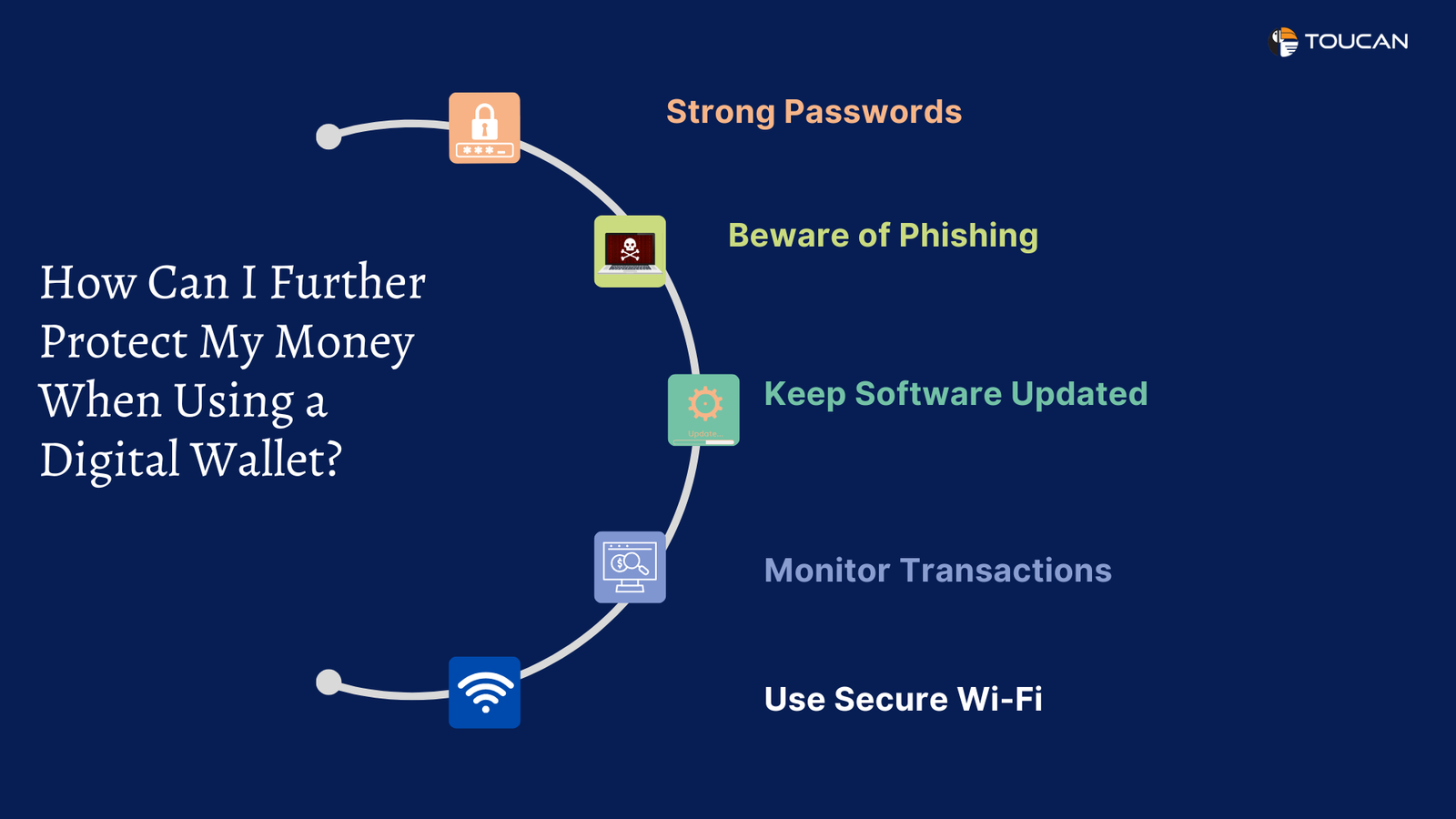
You double-check the locks on your front door before bed. You look both ways before crossing the street. But when is the last time you checked the locks on your digital bank account?
Most people never do.
Millions of people now use neobanks and digital wallets every single day — apps like Chime, Revolut, Cash App, Venmo and Apple Pay. These tools are fast, sleek and incredibly convenient. But they also sit at the forefront of one of the biggest financial battlegrounds of our time: cybercrime.
According to an FBI Internet Crime Report, financial fraud losses in the US soared in recent years, with digital payment apps playing a major role. And the scariest part? The vast majority of victims were unaware that anything was amiss until it was too late.
The solution is not to throw out your digital wallet. It’s to get smarter about protecting it.
These 9 neobank and digital wallet security audits work for real people — not IT professionals. Each one is simple, practical and takes just a couple of minutes to complete. Work through them one by one, and you’ll have total protection that most people never bother to set up in the first place.
Let’s get started.
The Real Risk Lurking Inside Your Favorite Finance App
Before jumping into the audits, it helps to understand exactly what you’re up against.
Neobanks and digital wallets are not the same as traditional banks. They move quickly, operate entirely online and often have smaller security teams. That combination creates gaps — and hackers know exactly where to find them.
Here are the most common ways people lose money through these apps:
Phishing scams — Fake emails or texts that look real, designed to steal your login details.
Credential stuffing — Hackers take username and password combinations from old data breaches and try them on your financial apps.
SIM swapping — Criminals convince your phone carrier to transfer your number to a SIM card they control, then use it to bypass your text-message security codes.
Account takeover — Someone gets into your account and silently drains it or sets up transfers before you can react.
Unauthorized app access — A third-party app you connected months ago still has permission to pull money from your wallet.
The common thread? Nearly all of these attacks succeed because of something the user could have prevented. That’s the good news. You have more control than you might think.
How These Audits Work — And Why They’re Different
A security audit is simply a structured review. You go through your accounts, settings and habits with a fresh set of eyes and patch up anything that looks weak.
These 9 audits are designed to cover every major entry point a criminal might use. Think of it as walking around your house and checking every window, every door and every lock — one by one.
No jargon. No complicated steps. Just clear actions that actually work.
Audit 1 — Map Out Every Device Connected to Your Account
Find Out Who’s Really Logged In Right Now
Open your neobank or digital wallet app. Go to settings. Look for a section called “Active Sessions,” “Devices” or “Login Activity.”
What you’ll see is a list of every device currently connected to your account — phones, tablets, laptops and sometimes even browsers. Each one is a potential entry point.
Go through that list carefully. Ask yourself one question about each device: Did I log in from this?
If the answer is no — or if you’re not sure — remove it immediately.
Common devices people forget about:
- An old phone sold or given away
- A tablet used at a family member’s house
- A laptop from a previous job
- A browser session left open on a public computer
Set Up Login Alerts Right Away
While you’re in this section, look for an option to receive alerts when a new device logs in. Turn it on. This one step means you’ll know almost immediately if someone tries to access your account from an unfamiliar device.
Device Audit Action Table:
| Action | Why It Matters |
|---|---|
| Review all active sessions | Spots unauthorized access |
| Remove unrecognized devices | Cuts off potential intruders |
| Enable new login alerts | Gives instant warning of intrusion |
| Log out of unused devices | Reduces your attack surface |
Audit 2 — Build a Password That Actually Holds Up
Most Passwords Are Embarrassingly Easy to Crack
Be honest: Is your neobank password the same one you use for your email? Your streaming service? Your old online shopping account?
If yes, you’re in a very common — and very dangerous — situation.
Whenever a website is breached (and hundreds are every year), those stolen username and password combinations get sold on the dark web. Hackers then run them through every major financial app automatically. This is called credential stuffing, and it succeeds far more often than it should.
Your password needs to be unique to your financial account. That’s non-negotiable.
What Actually Makes a Password Strong
- Minimum 14 characters (longer is better)
- A mix of uppercase letters, lowercase letters, numbers and symbols
- No real words, names or dates
- Nothing that appears in any other account you own
Password Strength Comparison:
| Password Type | Example | Strength Rating |
|---|---|---|
| Common word + number | sunshine2021 | Very Weak |
| Name + birthday | sarah1995 | Weak |
| Random words combined | BlueFrog!Desk99 | Moderate |
| Full random string | $zR7!mKp@2LxQ#8 | Very Strong |
The Easy Way to Manage Strong Passwords
You don’t need to memorize any of this. A password manager does it all for you. Apps like Bitwarden (completely free), 1Password or NordPass generate, store and auto-fill strong passwords across all your accounts. Install one today if you haven’t already.
Audit 3 — Lock Down Two-Factor Authentication the Right Way
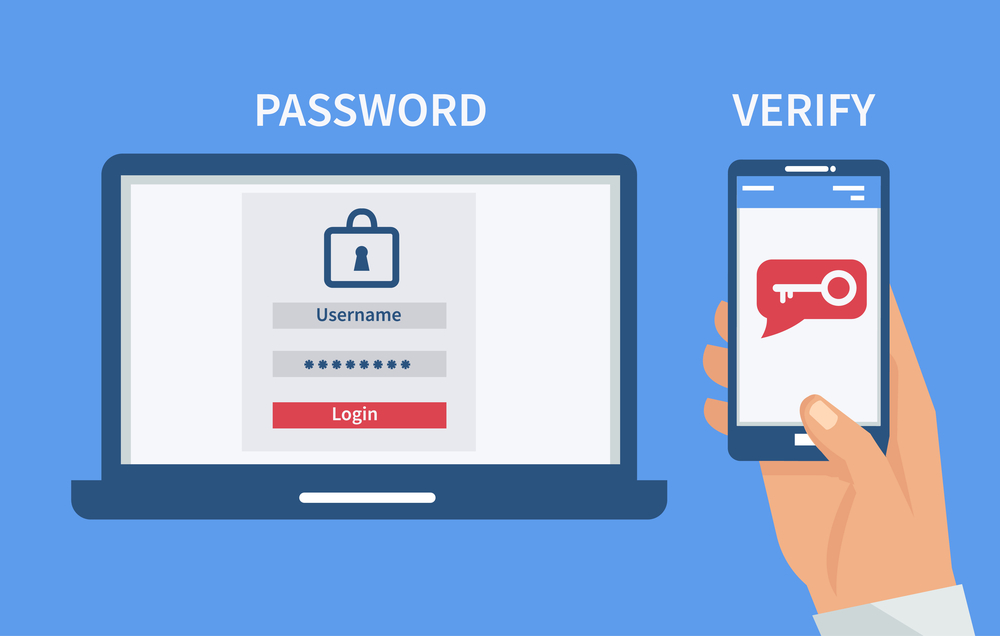
One Password Is Never Enough
Two-factor authentication — or 2FA — is a second layer of security on top of your password. Even if someone gets your password, they still can’t get in without that second code.
It is one of the most powerful security tools available to everyday users. And it’s free.
Most people who have 2FA enabled use SMS text messages. A code gets texted to your phone when you log in. This is better than nothing — but it has a serious flaw.
Why Text Message Codes Aren’t the Safest Option
Text message codes can be intercepted through SIM swapping. A criminal calls your phone carrier, pretends to be you and convinces them to transfer your number to a SIM card the criminal controls. Now they receive all your text codes and bypass your 2FA.
This attack is more common than most people realize. Major celebrities and crypto investors have lost millions this way.
The fix: Switch to an authenticator app. Google Authenticator, Authy and Microsoft Authenticator generate codes directly on your device. They don’t go through your phone carrier. SIM swapping can’t touch them.
2FA Method Comparison:
| Method | Security Level | Vulnerable to SIM Swap? |
|---|---|---|
| No 2FA | None | N/A |
| Email code | Low | Indirectly |
| SMS text code | Medium | Yes |
| Authenticator app | High | No |
| Hardware security key | Very High | No |
Go into your neobank settings right now. Find the 2FA section. If you’re using SMS, switch to an authenticator app. It takes about five minutes.
Audit 4 — Dig Into Your Transaction History With Fresh Eyes
Fraud Hides in Plain Sight — When You Know Where to Look
Pull up your last 90 days of transactions. Every single one. This is not the time to skim.
Fraudsters are clever. They rarely take large amounts right away. Instead, they test with tiny charges — sometimes as small as $0.99 — to see if the account is being monitored. If nobody flags it, they come back for more.
This is called micro-fraud, and it works so well precisely because most people never notice small charges.
A Systematic Way to Review Transactions
Go through your history in chunks. Split it by week. For each transaction, ask:
- Do I remember making this purchase?
- Do I recognize the merchant name?
- Is the amount what I’d expect?
- Are there any duplicates?
- Are there any subscriptions I didn’t sign up for?
Flag anything that doesn’t add up. You don’t need to be certain it’s fraud — just flag it and investigate.
Transaction Red Flag Guide:
| What You See | What It Could Mean | What to Do |
|---|---|---|
| $0.99 – $2 unknown charge | Fraud test transaction | Report immediately |
| Repeated small charge | Unauthorized subscription | Dispute and cancel |
| Duplicate transaction | Double billing or fraud | Contact support |
| Transfer to unknown account | Account takeover attempt | Freeze account now |
| International charge (you didn’t travel) | Card cloning or theft | Report and freeze |
Most neobanks have zero-liability policies for fraud. But they expect you to report it quickly. The sooner you act, the better your chances of getting money back.
Audit 5 — Strip Back App Permissions to the Bare Minimum
Your Financial App Doesn’t Need to Know That Much About You
Every app on your phone has a list of permissions — things it’s allowed to access. Camera. Microphone. Location. Contacts. Storage.
Some of these make sense for a financial app. Many don’t.
Does your neobank really need round-the-clock access to your microphone? No. Does your digital wallet need to know your location at all times — even when you’re not using it? Almost certainly not.
Excess permissions are a privacy risk and a security risk. If the app is ever compromised, those permissions give attackers a much wider view into your life.
How to Do a Full Permission Audit
On iPhone: Settings → Privacy & Security → tap each category (Microphone, Camera, Location, etc.) → check which apps have access → revoke anything unnecessary
On Android: Settings → Apps → select the app → Permissions → review and revoke
Permission Risk Rating:
| Permission | Needed for Finance App? | Risk if Abused |
|---|---|---|
| Camera | Sometimes (check deposits) | Medium |
| Microphone | Rarely | High |
| Location (always on) | No | High |
| Location (while using) | Sometimes | Low |
| Contacts | Only for P2P transfers | Medium |
| Storage/Files | Sometimes | Medium |
Revoke anything rated high risk that the app doesn’t genuinely need. This takes less than five minutes and significantly tightens your security.
Audit 6 — Cut the Cord on Old Linked Accounts and Cards
Your Forgotten Connections Are Open Doors
Think back over the last two or three years. How many bank accounts have you linked to your digital wallet? How many cards? Have you cleaned any of that up?
Most people haven’t. Old linked accounts pile up over time — expired cards, closed accounts, accounts at banks you no longer use. Each one is a loose thread a hacker could potentially pull.
Log into your wallet. Go to “Payment Methods,” “Linked Accounts” or “Banks and Cards.” Go through every entry.
Questions to ask about each linked item:
- Is this card still active?
- Do I still use this bank account?
- Did I link this myself?
- Would I notice if money moved through this connection?
Remove everything you don’t actively use. Then do the same for any third-party apps that have been granted access to your wallet.
Third-Party App Access — The Hidden Risk Most People Skip
Budgeting apps, subscription trackers and payment tools often request ongoing access to your wallet or bank account. You grant it once and forget about it.
But those connections remain active even after you stop using the app. Some of those apps may have been sold, changed ownership or had their own security breaches.
Go to “Connected Apps,” “Authorized Services” or “Linked Apps” in your wallet settings. Revoke access for anything you don’t currently use and recognize.
Audit 7 — Lock Down Your Account Recovery Options
Your Account’s Back Door Needs Reinforcing Too
Account recovery is how you get back in when you’re locked out. It’s a lifeline. But it’s also one of the most commonly exploited weaknesses in digital account security.
If a hacker can get into your recovery email or answer your security questions, they don’t need your password at all. They just trigger a reset and walk right in.
Review and tighten up each recovery option:
Recovery email: Is it current? Is it secure? Does it have its own strong password and 2FA? Your recovery email is only as strong as its own security.
Phone number: Is it still your number? Is your carrier account protected with a PIN or SIM lock?
Security questions: These are often the weakest link. Questions like “What street did you grow up on?” or “What was your first pet’s name?” can frequently be answered by anyone who’s looked at your social media.
The fix for security questions is counterintuitive but effective: lie. Use completely fictional answers. Just make sure to write them down somewhere secure — like a password manager.
Backup codes: Most apps offer one-time backup codes when you set up 2FA. Print them or store them in a secure, offline location. These codes can save you if you lose access to your phone.
Recovery Options Security Overview:
| Recovery Option | Common Weakness | Fix |
|---|---|---|
| Recovery email | Weak password, no 2FA | Secure the email first |
| Security questions | Guessable answers | Use fake, random answers |
| SMS recovery | SIM swap vulnerability | Add carrier PIN lock |
| Backup codes | Lost or never saved | Store offline securely |
Audit 8 — Put Your Neobank’s Security Under the Microscope
You Deserve to Know Exactly How Your Bank Protects You
This audit is about your neobank itself — not your personal settings. Even if you do everything right, a poorly secured neobank puts your money at risk.
Spend 15–20 minutes researching your neobank’s security practices. This information should be publicly available on their website.
Key things to verify:
FDIC or NCUA insurance coverage. This is non-negotiable. Without it, your deposits are not protected if the neobank fails. Most legitimate neobanks partner with FDIC-insured banks — but confirm this for yourself. Don’t assume.
Encryption standards. Look for AES-256 encryption, which is the current gold standard. Data should be encrypted both in transit (as it moves) and at rest (when stored).
Fraud detection systems. Does your neobank monitor transactions in real time? Do they flag unusual activity automatically? Do they contact you before processing suspicious transactions?
Incident response history. Search “[your neobank name] + data breach” or “[your neobank name] + security incident.” How a company handles a breach tells you a lot about how seriously they take security.
Customer support responsiveness. Can you actually reach someone quickly if fraud occurs? Test this before you need it.
You can also check complaint records through the Consumer Financial Protection Bureau’s complaint database to see how your neobank handles real customer issues.
Neobank Security Features Checklist:
| Feature | What to Look For | Red Flag |
|---|---|---|
| Deposit insurance | FDIC up to $250,000 | No insurance mentioned |
| Encryption | AES-256 | No encryption info available |
| Biometric login | Face ID or fingerprint | PIN only |
| Card freeze | Instant via app | Requires calling support |
| Real-time alerts | Every transaction | Daily summaries only |
| Fraud monitoring | Automatic and 24/7 | Reactive only |
If your neobank is weak in several of these areas, it may genuinely be time to consider moving your money somewhere more secure. For expert guidance on choosing and managing your digital finances wisely, visit BankProfi — a trusted resource for smart banking decisions.
Audit 9 — Build an Automated Alert System That Works While You Sleep
The Smartest Security Move Is the One That Never Turns Off
All of the earlier audits strengthen your defenses. This one creates a real-time monitoring system that protects you around the clock — automatically.
Most neobanks and digital wallets offer customizable alerts and spending controls. Most people never touch these settings. That’s a mistake.
Alerts to Set Up Right Now
Go into your app’s notification settings and enable alerts for:
- Every transaction — no minimum amount
- Any login from a new device or location
- Changes to account information (email, password, phone number)
- International transactions
- Large withdrawals or transfers
- Failed login attempts
The goal is simple: you should never learn about something happening in your account after the fact. Real-time alerts mean you know immediately.
Spending Limits — Your Last Line of Defense
Even if a hacker gets past everything else, spending limits cap how much damage they can do before you notice and respond.
Look for settings like “Spending Controls,” “Transfer Limits” or “Daily Limits.” Set reasonable caps for:
- Daily spending limit
- Maximum single transaction amount
- Daily transfer to external accounts
- International payment restrictions (block entirely if you don’t travel)
Alert and Limit Setup Guide:
| Setting | Recommended Action |
|---|---|
| Transaction alerts | Enable for every transaction |
| New device login | Immediate push notification |
| Account changes | Email + push notification |
| Daily transfer limit | Set to your typical maximum need |
| International payments | Block if you don’t travel |
| Large withdrawal alert | Set threshold at a comfortable level |
These settings won’t stop every attack. But they shrink the window of damage dramatically. A hacker who trips your alerts within the first minute is far less dangerous than one who operates undetected for three days.
Your Complete Audit Schedule — How Often to Run Each Check
Security isn’t a one-time event. It’s an ongoing habit. Here’s a simple schedule to keep everything tight without overwhelming yourself.
Security Audit Maintenance Schedule:
| Audit | How Often |
|---|---|
| Transaction review | Weekly |
| Active devices check | Monthly |
| Password strength review | Every 3–6 months |
| App permissions check | Every 3 months |
| Linked accounts cleanup | Every 6 months |
| Recovery options check | Every 6 months |
| Neobank security review | Once a year |
| Full 9-audit sweep | Every 6 months |
Set calendar reminders right now. Treat these checkups the same way you’d treat changing the batteries in a smoke detector — routine, important and non-negotiable.
The Habits That Quietly Undermine Your Security
Even people who complete these audits can accidentally undo their own hard work through everyday habits. Watch out for these:
Logging into finance apps on public Wi-Fi. Coffee shops, airports, hotel lobbies — these networks are hunting grounds for attackers. Always use mobile data or a trusted VPN when accessing your financial apps away from home.
Clicking links in financial text messages. Legitimate banks and wallets will never ask you to click a link and log in via text. If you receive a message asking you to verify your account, go directly to the app — don’t tap the link.
Ignoring app updates. Updates frequently contain critical security patches. An outdated app may have known vulnerabilities that hackers are actively exploiting. Enable automatic updates for your financial apps.
Sharing login info with family members. Even with people you trust completely, shared credentials multiply risk. Each person should have their own account access.
Using obvious PINs. If your app PIN is 1234, 0000 or your birth year, change it today.
Frequently Asked Questions
Q: How can I be sure that my neobank is truly legitimate and safe? Look for concrete proof of FDIC or NCUA insurance, AES-256 encryption, biometric login options and transparent security policies on their website. Research any past data breaches or regulatory actions. Reputable neobanks publish their security practices openly and don’t hide the details.
Q: What is the very first thing I should do if I suspect my account has been hacked? Instantly freeze your card using the app’s lock feature. Then change your password from a secure device. Contact the neobank’s fraud team directly — use the number on their official website, not one from a suspicious email or text. Save screenshots of anything unusual before reporting.
Q: I already use SMS two-factor authentication. Is that enough? It’s better than nothing, but it’s not completely safe. SIM swapping attacks allow hackers to intercept your text codes. Switching to an authenticator app like Google Authenticator, Authy or Microsoft Authenticator removes that vulnerability entirely and takes under five minutes.
Q: Are digital wallets secure enough to hold large amounts of money? Digital wallets are best suited for everyday spending rather than long-term savings. For larger balances, keep funds in an FDIC-insured savings account and use your digital wallet only for regular transactions. This limits your exposure if anything goes wrong.
Q: How do SIM swap attacks actually happen, and how do I stop them? A SIM swap occurs when a criminal calls your phone carrier, pretends to be you and convinces them to transfer your phone number to a new SIM card. Once they have your number, they receive all your verification texts. Protect yourself by calling your carrier and requesting a SIM lock or account PIN — a security step that prevents number transfers without additional verification.
Q: Can someone hack my account even if I use a strong password and 2FA? It’s much harder, but not impossible. Social engineering, malware on your device or a breach at the neobank itself can still create vulnerabilities. That’s why completing all 9 audits matters — no single step is foolproof, but layering multiple protections dramatically reduces your risk.
Q: Do I need to run these audits on every financial app I use? Yes, absolutely. Every app that holds or moves money — Venmo, PayPal, Cash App, your neobank, your digital wallet — deserves its own full audit. Attackers will go for the weakest link, which is often an app you use less frequently and pay less attention to.
Q: What should I do if my neobank doesn’t offer some of these security features? Start by contacting their support team and asking directly about the missing features. If critical protections like FDIC insurance or real-time alerts are absent, seriously consider switching to a provider that takes security more seriously. Your money deserves better than a platform that skimps on protection.
Lock It Down — Your Money Is Worth the Effort
Here’s the truth about digital financial security: it’s not about being paranoid. It’s about being prepared.
Cybercriminals don’t target people just because they’re careless. They go after people simply because most of us never got around to setting things up properly. That changes today.
These 9 proven neobank and digital wallet security audits cover every major vulnerability in your digital financial life. Devices. Passwords. Two-factor authentication. Transaction monitoring. App permissions. Linked accounts. Recovery options. Your bank’s own security. And automated alerts that watch your back 24/7.
Each audit takes minutes. Together, they build total protection that most people — including most fraud victims — never had in place.
You don’t need to do all nine today. But pick one and do it right now, before you close this page. Then come back tomorrow and do another.
By the end of the week, you’ll have the kind of security setup that makes cybercriminals move on to easier targets.
Your savings took years to build. Protect them like it.







