

You wake up one morning and check your phone to find your account balance is zero.
No warning. No explanation. Just gone.
This is not a horror story. Real people experience this every day. Most of the time, it could have been prevented.
Neobanks and digital wallets have already transformed how we manage money. Apps such as Chime, Revolut, Cash App, Venmo, and Wise allow you to both send and receive money, providing some level of control from anywhere in the world. Fast. Easy. Convenient.
But that convenience is exactly why they are an inviting target for hackers.
Here is the harsh truth: most people create an account, set it up one time, download the app, and never think twice about security again. They rely on the app to do it all. But security is a two-way street. The bank does its part — and you have to do yours.
This guide takes you through 8 security audits to guard against hacking of neobank and digital wallet accounts. Each one is practical. Each is something you can do today. And every one of them could be the thing that stands between your money and someone who wants to take it away from you.
Your Digital Wallet Is Only as Safe as You Keep It
Consider how you secure your physical wallet.
You keep it in your pocket. You don’t hand it out to strangers. If something seems off, you check it.
But with digital wallets? Most people do none of that. They download the app, add their card, and forget about it. The wallet goes ignored — until something goes wrong.
Hackers count on that. They look for the accounts no one is watching. The ones with weak passwords, old settings, and zero alerts switched on.
The good news is that you don’t need to be a tech wizard to lock things down. You simply need to know what to look for — and what you can do about it.
Let’s get into it.
Security Audit #1 — Map Every App That Touches Your Money
Before you can protect your accounts, you need to understand what you are protecting.
When people actually sit down and count, most are surprised. With neobanks, digital wallets, payment apps, buy-now-pay-later services, and crypto platforms — the average person now has four to seven financial apps on their phone. And that doesn’t cover the apps linked to those accounts.
Take a Complete Financial App Inventory
Get out a piece of paper or open a notes app. Write down all of the apps that can touch your money or your card information. Include:
- Neobank apps (Chime, Monzo, Revolut, N26, and Wise)
- Digital wallets (PayPal, Cash App, Venmo, Apple Pay, Google Pay)
- Buy-now-pay-later apps (Klarna, Afterpay, Affirm)
- Crypto apps (Coinbase, Binance, Trust Wallet)
- Bank-connected budgeting apps (Mint, YNAB, Copilot)
- Any app you downloaded in the past and forgot about
Now look at that list. Each one of those apps is a potential way into your account for a hacker.
What to Do With the List
Ask three questions about each app. Do I still use this? Is the account still active? Do I know what information I provided to it?
If the answer to any of those is no or unclear — deactivate the account and delete the app. A forgotten account you no longer think about is often an attacker’s easiest way in.
This inventory is the foundation for all other audits in this guide. You can’t defend what you cannot see.
Security Audit #2 — Hunt Down Every Weak and Reused Password
Passwords are the gateway to your accounts. And right now, tens of millions of people are holding that door wide open.
The most common passwords are still things like “123456,” “password,” and “qwerty.” If your banking password resembles anything on that list, change it before you read another word.
But weak passwords are not the only issue. Reused passwords can be just as dangerous — if not worse.
Why Reusing Passwords Is a Ticking Time Bomb
Here’s how it works. A company you signed up with five years ago gets hacked. Your email and password leak onto the dark web. Hackers take that combination and try it on hundreds of other sites — including your neobank.
This type of attack is known as credential stuffing. It’s automated. It’s fast. And it never stops, because so many people use the same password everywhere.
Build Passwords That Actually Hold Up
A strong password for a financial account should be:
- At least 16 characters long
- A combination of uppercase letters, lowercase letters, numbers, and symbols
- Completely unique — never used on any other site or app
To check if your email has already been compromised, visit haveibeenpwned.com. It is free and takes 10 seconds. If your email shows up in a breach, change the password on every financial account immediately.
Use a password manager to keep track of everything. Bitwarden is popular and free. 1Password and Dashlane are great paid options. Let the manager create and store complicated passwords so you don’t have to memorize them.
| Password Type | Example | Security Level |
|---|---|---|
| Short, simple word | sunshine | Very Weak |
| Word + numbers | sunshine123 | Weak |
| Mixed with symbols | S!unshin3#22 | Moderate |
| Long random string | kP9@mXq2!Lv#nTz8 | Strong |
| Passphrase + symbols | BlueCar!Jumps#Over99 | Very Strong |
Security Audit #3 — Upgrade Your Two-Factor Authentication Right Now
If there is one thing you do after reading this guide, make it this.
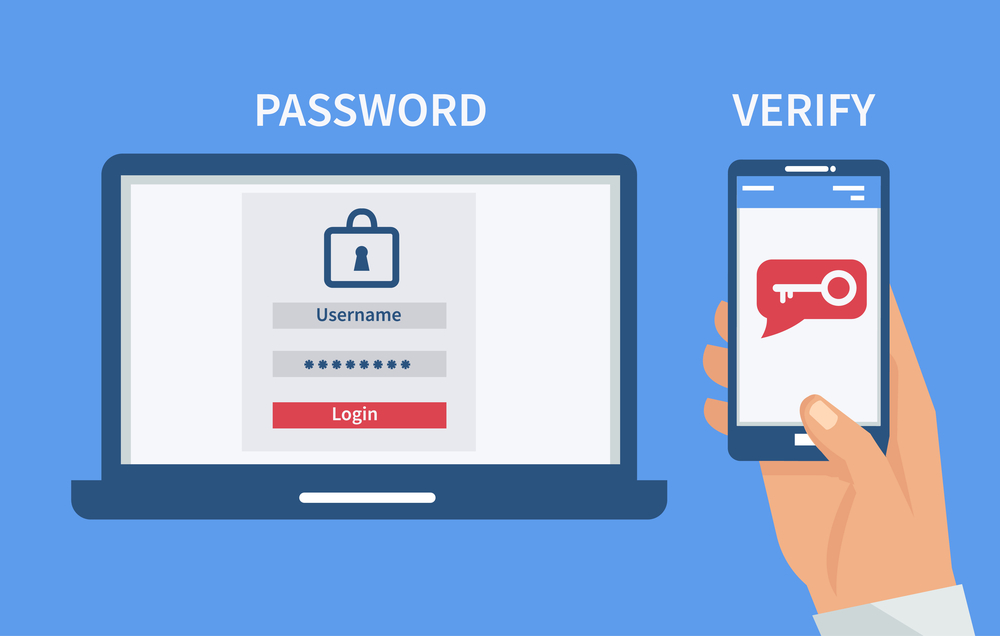
Two-factor authentication — known as 2FA or two-step verification — adds a second layer of protection to your login. Even if a hacker manages to discover your password, they still can’t get in without that second code.
The overwhelming majority of those who have 2FA enabled are still using the weakest version without even realizing it.
SMS Codes Are Not Enough
The most common form of 2FA sends a six-digit code to your phone by text message. It feels secure. It isn’t — not fully.
Hackers can work around SMS-based 2FA using a process known as SIM swapping. They call your mobile carrier, pretend to be you, and convince a customer service representative to transfer your phone number to a SIM card they control. Once they have your number, they receive your verification codes.
SIM swap attacks have been used to drain accounts of thousands of dollars. They are far more common than most people realize.
The Stronger Option You Should Switch To
Authenticator apps generate time-sensitive codes directly on your device. They are not linked to your phone number. They cannot be intercepted through SIM swapping.
The best options are:
- Google Authenticator — simple and free
- Authy — free, with multi-device backup
- Microsoft Authenticator — great for Microsoft users
Go into your neobank or digital wallet settings right now. Locate the security or two-factor authentication section. If you have the option to switch from SMS to an authenticator app, do it today.
Also, check if your carrier offers a SIM lock or port freeze. This prevents anyone from transferring your number without your PIN. It is a free extra layer of protection that most people have never heard of.
Security Audit #4 — Scrub the Hidden Doors: Third-Party App Connections
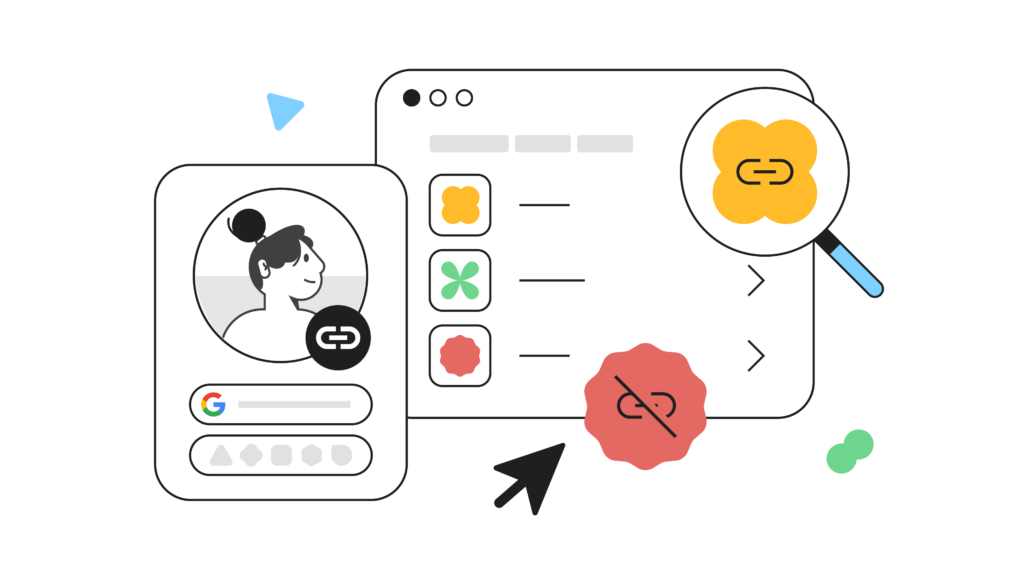
Every time you link a third-party app to your neobank or wallet, you are creating a connection. A channel. A door.
Most of those doors were quickly opened — “Sign in with PayPal,” “Link your bank account,” “Allow access” — and then completely forgotten.
Why Old Connections Are Dangerous
Third-party apps don’t always maintain the same security standards as your neobank. If an app you connected two years ago suffers a data breach, that connection could give attackers a direct path into your financial account.
Some apps also hold on to access longer than they should. You stop using the app. You forget it exists. But it still retains permission to view your account data.
How to Find and Remove Them
Log into your neobank or digital wallet. Find a settings section labeled “Connected Apps,” “Linked Accounts,” “Authorized Access,” or “Third-Party Services.” All major platforms have this — it might just take a few minutes to find.
Go through each entry on the list. For anything you don’t recognize or no longer use, revoke access immediately.
Then reverse the process. Go into your Google account and your Apple ID. Both of these keep a record of what apps you have authorized. Clean out anything that doesn’t belong there.
| Third-Party Connection | What to Keep | What to Remove |
|---|---|---|
| Budgeting app you use weekly | Keep | — |
| Crypto app you tried once | — | Remove |
| Shopping reward tool from 2021 | — | Remove |
| Payroll/invoice platform in active use | Keep | — |
| App you don’t recognize at all | — | Remove immediately |
Repeat this audit every three months. Apps change ownership, update their policies, and shift their security practices all the time.
Security Audit #5 — Turn Your Account Alerts Into a Real-Time Security System
Your neobank already has a built-in security system. The vast majority of people have never turned it on.
Transaction alerts, login-activity notifications, and security warnings are some of the most powerful — and most routinely ignored — tools at your disposal. They cost nothing. The setup takes five minutes. And they can catch fraud before it spirals out of control.
What Your Alerts Should Cover
Log into your neobank or wallet. Go to the notifications or alerts section. Make sure you have the following enabled:
- Every single transaction — yes, including amounts as small as $0.01
- New device logins — anytime someone accesses your account from a new device
- Password or security setting changes — you should always be the first to know
- Failed login attempts — multiple failed attempts is a serious red flag
- Large transfers or withdrawals — set a threshold that makes sense for your account
Fraudsters often test stolen accounts with tiny charges first — sometimes just a few cents — to confirm the account is active before making a larger move. If you have alerts set on every transaction, you catch that test charge before it becomes a real problem.
Set Alerts for Both Email and Push Notifications
Don’t put all your eggs in one basket. If your phone is off or your email gets compromised, you want a backup. Enable alerts on both wherever possible.
Some neobanks also let you temporarily freeze your card instantly from within the app. Find that button now, before you need it. Knowing where it is could save you critical minutes during a fraud event.
Security Audit #6 — Lock Down the Device Your Banking App Lives On
If you are only looking at the app, your neobank security audit isn’t going far enough. The device it runs on matters every bit as much.
A hacker who gets physical access to an unlocked phone with an open banking app doesn’t need your password at all. They already have everything they need.
Device Security Checks to Run Today
Work through each of the following:
Lock screen protection. Does your phone require a PIN, password, fingerprint, or face ID to unlock? If not, enable it right now. This is the minimum level of protection for any device that has financial apps installed.
App-level lock. Many neobanks give you the option to require biometric or PIN authentication every time you open the app — even if your phone is already unlocked. Enable this if available in your app’s security settings.
Auto-lock timer. Set your phone to lock automatically after 30 seconds or one minute of inactivity. The longer your phone remains unlocked while idle, the bigger the window for someone else to access it.
Operating system updates. Outdated operating systems carry known security vulnerabilities. Hackers actively exploit them. Go to your phone settings and make sure your OS is fully updated.
Remote wipe readiness. If your phone is stolen, can you erase it remotely? On iPhone, this is done through Find My. On Android, through google.com/android/find. Set this up now and know how to use it.
Security Audit #7 — Audit the Wi-Fi Networks You Bank On
Where you bank matters as much as how you bank.
Public Wi-Fi networks are open. Unencrypted. And full of risk. When you connect to a public network at a coffee shop, airport, hotel, or library, other people on that same network can potentially see your internet traffic.
Hackers sometimes set up fake Wi-Fi hotspots with names like “Airport Free WiFi” or “Starbucks Guest” specifically to trick people into connecting. Once you are on their network, they can intercept your data — including your login credentials.
Simple Rules That Keep You Safe
Never access financial apps on public Wi-Fi without a VPN. A Virtual Private Network encrypts your internet traffic, making it unreadable to anyone trying to intercept it. Mullvad, ProtonVPN, and ExpressVPN are all trusted options with strong privacy track records.
Use mobile data when possible. Your carrier’s cellular connection is significantly more secure than any public Wi-Fi. Switching off Wi-Fi and using mobile data takes two seconds and eliminates most of the risk.
Check your home Wi-Fi security. Your home network should be protected with WPA3 or at minimum WPA2 encryption. Log into your router settings and verify this. If your home Wi-Fi is open or still using WEP encryption, fix it today.
| Network Type | Risk Level | Recommended Action |
|---|---|---|
| Home Wi-Fi (WPA3) | Low | Safe for banking |
| Home Wi-Fi (WPA2) | Low-Medium | Acceptable, update if possible |
| Mobile data (4G/5G) | Low | Safe for banking |
| Public Wi-Fi + VPN | Medium | Use only if necessary |
| Public Wi-Fi, no VPN | Very High | Never use for banking |
| Unknown/free hotspot | Extreme | Avoid completely |
Security Audit #8 — Verify Your Neobank Is Actually Protecting Your Money
This final audit is about the institution itself — not your account settings or your device. It’s the one people think about least, and it might be the most important.
Not all neobanks and digital wallets are created equal. Some have strong regulatory oversight, robust fraud protection, and deposit insurance. Others are newer, less regulated, and carry more risk for users.
What to Check About Your Neobank
Deposit insurance. In the United States, look for FDIC insurance. This protects your deposits up to $250,000 if the bank fails. Most neobanks are not banks themselves — they partner with FDIC-insured banks to offer this protection. Check your neobank’s website or app to confirm this clearly.
In the UK, look for coverage under the Financial Services Compensation Scheme (FSCS). In the EU, look for national deposit guarantee schemes.
Regulatory licensing. Your neobank should hold a valid financial license in the country or countries where it operates. This information is usually found in the app’s “About” or “Legal” section, or on their official website.
Security certifications. Look for mentions of PCI-DSS compliance (required for companies handling card data), SOC 2 certification, and end-to-end encryption. These are not just buzzwords — they are indicators that the company takes security seriously at an infrastructure level.
Fraud dispute process. Before you ever need it, read your neobank’s policy on unauthorized transactions. How quickly do they respond? What is the dispute window? What is the process? Knowing the answers before fraud happens means you act faster when it does.
Past security incidents. Search your neobank’s name plus “data breach” or “security incident.” Check the CFPB complaint database. Read reviews on Reddit and Trustpilot. A company’s history tells you a lot about how seriously they take user security.
For more in-depth guides on neobank safety, digital finance tips, and how to protect your money in the modern banking world, visit BankProfi — a trusted resource for staying informed about the latest in fintech security.
How Often Should You Run These Audits?
| Security Audit | How Often |
|---|---|
| Financial app inventory | Every 3 months |
| Password review | Every 6 months |
| 2FA method check | Every 6 months |
| Third-party app connections | Every 3 months |
| Notification and alert settings | After any app update |
| Device security check | Monthly |
| Wi-Fi network audit | Ongoing habit |
| Neobank institution review | Annually |
The Numbers That Should Make You Pay Attention
It is easy to think this won’t happen to you. Here is why that thinking is dangerous.
The Federal Trade Commission reported that consumers lost more than $10 billion to fraud in 2023 — the first time losses crossed that threshold. A significant portion of those losses involved digital payment apps and online banking.
Younger adults — the primary users of neobanks and digital wallets — are actually more likely to report losing money to fraud than older adults, according to FTC data. The assumption that only older people fall for scams is simply not accurate.
The most targeted vulnerabilities are not exotic or technical. They are the basics: reused passwords, no 2FA, ignored alerts, and unreviewed app connections. Things that take minutes to fix.
FAQs
Q: How can I tell if my neobank account has already been compromised? Look for these warning signs: transactions you don’t recognize, being locked out of your account, receiving password reset emails you didn’t request, or seeing new devices in your login history that don’t belong to you. If you notice any of these, contact your neobank’s support immediately and change your password right away.
Q: Are traditional bank accounts safer than neobanks? Not necessarily safer — just different. Traditional banks have longer track records and often more robust regulatory oversight. But many neobanks today have strong security measures and FDIC insurance. Your account’s safety depends more on your own security habits than on the type of bank you use.
Q: Will I get my money back if a hacker drains my neobank account? It depends on your neobank’s fraud policy and how quickly you report it. Most neobanks and digital wallets have a dispute process for unauthorized transactions. Reporting the problem immediately gives you the best chance of recovery. This is why alerts matter — the faster you detect fraud, the more quickly you can take action.
Q: What is the single most effective thing I can do to stop hacking attempts? Enable two-factor authentication using an authenticator app — not SMS. This one step stops the vast majority of automated hacking attempts. Combine it with a strong, unique password and you have blocked the two most common attack vectors.
Q: Is it safer to use Apple Pay or Google Pay than a regular card? Yes, generally. These wallets use tokenization — they send a one-time digital code rather than your actual card number when you make a payment. Even if a merchant’s system is compromised, your real card details stay protected.
Q: What should I do if I think my phone has been stolen? Act immediately. Log into your neobank account from another device and use the app to freeze or lock your card. Then remotely wipe your phone using Find My (iPhone) or Google’s Find My Device (Android). Contact your mobile carrier to report the theft and lock your SIM. Finally, change your passwords from a secure device.
Q: How do I set up a SIM lock to protect against SIM swapping? Call your mobile carrier’s customer service or visit a store in person. Ask them to add a SIM lock, port freeze, or account PIN. This means any request to transfer your number to a new SIM will require that PIN. Different carriers use different names for this feature, but all major carriers offer it.
Your Money Deserves Better Than Default Settings
Here is the reality.
Hackers are not targeting you personally. They are running automated attacks — millions of them — looking for the accounts that have not been updated. The ones with recycled passwords. The ones with no alerts. The ones that are wide open because nobody ever checked.
Your job is simple: don’t be one of those accounts.
Run through these 8 neobank and digital wallet security audits. Not all at once if you don’t have the time — pick two or three today and come back for the rest. But start now. Not next week. Not when something goes wrong.
Your money is sitting on your phone right now. The question is: how well is it protected?
The answer is in your hands.







