


Fraud never rings the doorbell — it just walks in.
One day, your account appears normal. And the next day, your savings have vanished — transferred by a digital thief out of sight and across borders through a web of computer codes that you can’t see or touch. This scenario is playing out for millions of people annually, most of whom never saw it coming.
The scary part? Many of these attacks could have been prevented.
Neobanks and digital wallets have redefined our relationship with money completely. Apps such as Revolut, Chime, Cash App and Google Pay place your entire financial existence in the palm of your hand. That’s very convenient — but it also means one weakness in your security could be all it takes to open the door to serious fraud.
That’s where neobank & digital wallet security audits step in.
A security audit is not some complex IT project allocated for large corporations. It’s a regular checkup — a habit built around reviewing your accounts, settings and the apps that are installed on your device.
This article steps you through 10 strong audit techniques for preventing fraud. Each is described plainly, in clear language, and with actual steps you can take now. Whether you are brand new to digital banking or just want to get things more in control, this guide is for you.
Why Digital Wallets Are Especially Vulnerable to Fraud
Brick and mortar banks literally have brick and mortar, security guards and in-person verification. Neobanks and digital wallets have none of that. Everything is done through your phone screen.
That’s empowering — but it also places a lot of responsibility on you.
With a neobank, there’s no manager you can stroll up to when fraud occurs. There is no one to verify your identity in person. Recovery can take days or even weeks, and often the money never comes back.
According to the Federal Trade Commission (FTC), consumers lost over $10 billion to fraud in 2023 — a record high. Digital payment fraud was one of the fastest-growing categories.
The numbers are alarming. But the answer is much simpler than you might imagine.
Neobank & digital wallet security audits grab holes before bad guys do. Let’s dive into the 10 strongest.
Audit 1 — Create a Map of All Accounts You Own
You can’t defend what you can’t see.
The first step in any good security audit is creating a comprehensive record of every digital account you have. That’s every neobank, every digital wallet, every payment app — yes, even the ones you hardly use.
Many people have more accounts than they think. A PayPal from 2015. A Venmo you used twice. A crypto wallet you opened when a friend talked you into investing. These dormant accounts are a fraudster’s gold mine because no one is keeping an eye on them.
How to Build Your Account Map
Sit with a notebook or a spreadsheet and write down the following for each account:
| Account Name | Platform | Last Used | 2FA Active? | Password Strength |
|---|---|---|---|---|
| Main Wallet | Google Pay | Daily | Yes | Strong |
| Old Account | PayPal | 8 months ago | No | Weak |
| Savings App | Chime | Weekly | Yes | Strong |
| Side Wallet | Venmo | 1 year ago | No | Unknown |
Once you visualize it all, it’s immediately evident where the danger zones are.
Close those you no longer use. An old password on an inactive account is begging for trouble. If you can’t close it, at least update the password and enable two-factor authentication.
Perform this account mapping every six months. Your digital footprint fluctuates more than you realize.
Audit 2 — Take a Deep Dive Into Your Login Credentials
A huge portion of all account takeovers can be attributed to weak and reused passwords.
It’s all too tempting to use the same password everywhere. It’s easy to remember, right? Yet when one site gets hacked — as thousands do each year — your personal information can end up on the dark web. Criminals buy these lists and plug in your email and password to every major banking app automatically.
This style of attack is known as credential stuffing. It’s automated, it’s quick and it’s devastatingly effective against those who reuse passwords.
Password Audit Steps
Step 1: Go to haveibeenpwned.com and enter your email address. This free service lets you know if your login credentials have been compromised in a known data breach.
Step 2: If you use a password manager such as Bitwarden or 1Password, use its built-in security audit. It instantly flags weak, reused and compromised passwords.
Step 3: For any accounts that are flagged, create a brand new, unique password — at least 14 characters long with a mix of uppercase and lowercase letters, numbers and symbols.
Step 4: Never create passwords that contain personal information. No birthdays. No pet names. No street addresses.
A solid password audit is one of the easiest ways to significantly reduce your fraud risk. It’s a 20-minute process that can safeguard years of savings.
Audit 3 — Test Every Two-Factor Authentication Setup
Two-factor authentication (2FA) is one of the greatest tools for fighting fraudsters available to everyday regular users. But here’s what most people don’t realize — not all 2FA is created equal.
There are various kinds, and some can still be beaten by a determined fraudster.
2FA Strength Comparison
| Type of 2FA | How It Works | Fraud Resistance |
|---|---|---|
| SMS Text Code | A code sent to your phone through text | Moderate — vulnerable to SIM swaps |
| Email Code | A code delivered to your email inbox | Moderate — depends on email security |
| Authenticator App | A time-based code generated by an app | High — not tied to phone number |
| Biometric | Fingerprint or face scan | High — difficult to replicate remotely |
| Hardware Key | Physical device that plugs into USB | Very High — almost impossible to spoof |
While conducting your security audit, enter each of your neobank and wallet apps and check what type of 2FA is enabled.
If you rely only on SMS codes, consider making a change. Apps like Authy or Google Authenticator create time-based codes not connected to your phone number. SIM-swap attacks — where a fraudster tricks your carrier into transferring your number to their device — can’t touch authenticator apps.
If 2FA is not enabled at all, stop whatever you’re doing and activate it now. This one step prevents most unauthorized entry attempts.
Audit 4 — Scan All Third-Party App Connections
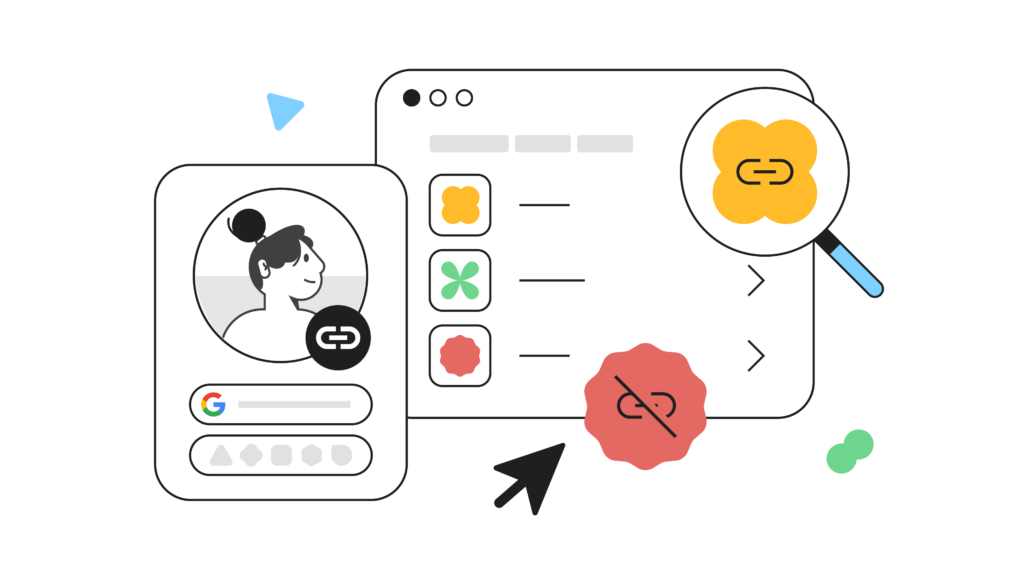
Each time you click “Pay with PayPal” or “Sign in with Google,” you’re establishing a connection between your wallet and another company’s service. These connections can multiply quickly.
Some of these linked apps are legitimate and useful. Others could be outdated, abandoned or — in the worst cases — compromised. A third-party app that no longer has a firm grip on security becomes a back door to your financial accounts.
Where to Check Connected Apps
- PayPal: Settings → Security → Manage apps and permissions
- Google Pay: Google Account → Security → Third-party apps with account access
- Apple Pay / Apple ID: Settings → Your Name → Password & Security → Apps Using Apple ID
- Cash App: Profile → Linked Banks & Cards (look for any unknown connections)
Check every connection and ask two simple questions: Do I still need this? Do I trust this company?
If your answer to either is no — cancel access at once.
Commit to doing this audit every quarter. New connections quietly pile up, and you may not notice until something goes wrong.
Audit 5 — Comb Through 90 Days of Transaction History
Your transaction history is a fraud detection tool hiding in plain sight.
Nearly everyone checks their transactions only when they suspect an error. But by that time, the fraud may have been occurring for weeks. Conducting a scheduled transaction audit — deliberately keeping an eye out for anything unusual — can detect fraud before it spirals.
What to Look For During a Transaction Audit
Fraudsters are clever. They don’t always drain your account in one go. They typically begin with small charges — sometimes just a few cents — to confirm that your account is active. Then they strike bigger.
Watch out for:
- Charges under $1 from nameless vendors
- Subscription charges you don’t recognize
- Transactions at times you were definitely asleep
- Duplicate charges from the same merchant
- Purchases in cities or countries you’ve never visited
- Unexplained transfers to accounts you don’t recognize
| Red Flag | What It Could Mean |
|---|---|
| $0.50 charge from unknown source | Card testing by a fraudster |
| Monthly subscription you know nothing about | Unauthorized account creation |
| Transaction between 3–4 AM | Remote access to your account |
| Charge from another country | Stolen card details used abroad |
Enable instant push notifications for all transactions on all apps. You’ll be notified the second anything hits your account — giving you time to act before even more damage is done.
Audit 6 — Lock Down Your Device Security Layer
Your neobank app could have the best possible security that money can buy. But it won’t matter if someone can just grab your phone and walk right in.
Device-level security is the physical gate that guards everything beyond it. It’s the most frequently overlooked layer of all.
Full Device Security Audit Checklist
Go through each of these in turn:
Screen lock: Do you secure your phone with a PIN, pattern, fingerprint or face ID? A six-digit PIN is the floor. Stay away from patterns — those are easier to guess from smudges on your screen.
Auto-lock timer: How long before your screen locks itself? Set it to 30 seconds. Every second your screen stays unlocked is an opportunity for someone else.
Biometric login on apps: Many banking apps allow logins with fingerprint and face ID. Turn these on for every financial app you have.
OS updates: Are you running the latest version of your operating system? Old versions carry known vulnerabilities. Updates patch these holes. Don’t delay them.
App updates: The same rule applies to your apps. Neglecting to update can expose security flaws that scammers are actively exploiting.
Remote wipe: Set up the ability to remotely erase your phone if it is lost or stolen. Apple Find My or Google Find My Device are something you’ll want configured before they’re necessary.
It takes about 10 minutes to work through this checklist. But those 10 minutes could stand between keeping your savings and losing them.
Audit 7 — Review and Update All Account Recovery Settings
Recovery options are the escape hatches of your digital financial life. But they’re also a top target for scammers.
If a scammer can take over your recovery email or port your phone number through a SIM swap, they can lock you out of your own accounts and walk right in as if they own the place.
Recovery Audit — Step by Step
Step 1: Check your recovery email. Is it an email you still frequently use? Is it secured with a strong password and 2FA? Your recovery email is the master key to many of your accounts — guard it as such.
Step 2: Check your recovery phone number. Is it your current number? If you recently switched numbers, a stranger might now own that old one.
Step 3: Check backup codes. When you enable 2FA, most apps provide a set of backup codes. Do you still have them? Save them to a password manager or write them down and store them somewhere physically secure.
Step 4: Review security questions. If your accounts require security questions, don’t use answers that can be found on your social media profile. Better yet — treat security question answers like passwords and make them completely random.
Step 5: Test your recovery flow. This sounds odd, but it works. Under a non-critical account, actually try the “forgot password” flow to make sure everything works and hasn’t been compromised.
Audit 8 — Look at Your Network and Connection Habits
Where and how you log on to the internet is as important as what you do once you’re connected.
Public Wi-Fi is one of the most frequent places where financial account information becomes compromised. Airports, cafes, hotel lobbies, shopping centers — these networks are convenient, but they also serve as hunting grounds for cybercriminals who use special tools to intercept unencrypted data in transit.
Network Security Audit
Ask yourself the following questions and answer them honestly:
- Have I ever opened my digital wallet or neobank on public Wi-Fi without a VPN?
- Am I still using the same home Wi-Fi password I set up years ago and never changed?
- Is my home router running on its latest firmware?
- Do my friends and guests share the same Wi-Fi network that my banking apps connect through?
| Risky Habit | Safer Alternative |
|---|---|
| Banking on public Wi-Fi | Use mobile data or a VPN |
| Weak home Wi-Fi password | Use WPA3 with a long passphrase |
| Old router firmware | Update your router firmware regularly |
| Shared home network | Set up a separate guest network |
A VPN (Virtual Private Network) encrypts your internet traffic so that even if someone is watching the network, they can’t read your data. A VPN is not optional when banking on the go — it’s essential.
Good options include ProtonVPN, NordVPN and Mullvad. They all have mobile apps that are beginner-friendly and easy to use.
Audit 9 — Run a Social Engineering Exposure Check
Not all fraud originates from hacking. A lot of it begins with something as simple as a phone call, a convincing email, or a text message that looks awfully official.
Social engineering is the art of manipulating people into performing actions or divulging confidential information. And it is frighteningly effective — even among smart, tech-savvy people.
Common Social Engineering Tactics Used Against Digital Wallet Users
Vishing (voice phishing): You receive a call from someone claiming to be your bank’s fraud department. They say your account has been compromised and they need to confirm your identity. They request your password or a code from your authenticator app.
Smishing (SMS phishing): You receive a text that appears to be from your wallet provider. It says there is an emergency with your account and includes a link. The link takes you to a fake page designed to steal your login details.
Fake customer support: Scammers set up fake social media accounts impersonating the support staff of a company. You reach out expecting to talk to your bank. You’re not.
How to Self-Audit Your Vulnerability
- Type your name and email address into a search engine. What personal information is publicly available that a scammer could use to sound convincing?
- Review your social media privacy settings. Do strangers have access to your phone number, birthday or location?
- Test your own skepticism. If you got a phone call right now from someone purporting to be from your bank and they asked for a verification code — would you give it?
Legitimate banks and wallet providers will never request your password, PIN or authenticator codes over the phone or via text.
Audit 10 — Establish a Fraud Response Plan Before You Need One
Most people only consider what to do after fraud has already occurred. By that point, panic ensues and precious time is lost.
Building a fraud response plan in advance means that if something does go wrong, you respond quickly, intelligently and efficiently.
Your Personal Fraud Response Plan
Step 1 — Have the emergency contacts. Locate the fraud hotline or in-app emergency support for each neobank and wallet you rely on. Store these contacts somewhere accessible even if your phone is compromised — such as a written note or a secure document.
Step 2 — Be prepared to freeze your accounts immediately. Practice navigating to the card freeze option in each of your apps before you need it in a panic.
Step 3 — Know your rights. In many countries, you have legal recourse for unauthorized transactions. In the US, Regulation E covers electronic fund transfers. Know what your platform’s fraud liability policy says.
Step 4 — Have a backup communication method. If your phone is lost or stolen, how are you going to reach your bank? Have the web login URL for each service on hand and another device or account recovery method prepared.
Step 5 — Document everything. If you spot fraud, take screenshots, note timestamps and write down every interaction you have with your bank or support team. This documentation can be crucial for disputes and recovery.
| Action | When to Do It |
|---|---|
| Save fraud hotline contacts | Right now |
| Practice account freeze navigation | With every audit |
| Review fraud liability policy | Every 6 months |
| Set up backup communication | Right now |
| Update fraud response plan | Every 6 months |
Build Your Audit Calendar
Consistency is what separates the people who stay safe from the ones who get caught off guard. Here is a simple schedule to maintain tight security throughout the year:
| Audit Task | Frequency |
|---|---|
| Transaction history review | Weekly |
| Push notification check | Monthly |
| Data breach check (haveibeenpwned) | Monthly |
| Third-party app connection review | Quarterly |
| Password strength audit | Quarterly or half-yearly |
| 2FA setup review | Quarterly or half-yearly |
| Device and network security check | Half-yearly |
| Full account mapping | Half-yearly |
| Recovery settings review | Half-yearly |
| Fraud response plan review | Half-yearly |
Print this out. Put it on your wall. Set recurring reminders in your calendar. Security is not something you do once — it’s something you keep doing.
For further tips on how to safely and sensibly manage your digital finances, visit BankProfi — a trusted resource for guidance on neobanks, digital wallets, and smart financial security.
FAQs About Neobank & Digital Wallet Security Audits
Q: How much time does a full neobank & digital wallet security audit actually take?
A complete audit of all 10 areas generally takes one to three hours the first time you perform it. Afterward, routine maintenance audits take 30 to 60 minutes every few months. The first one takes longer because you’re building the foundation.
Q: Do neobanks offer the same fraud protections as traditional banks?
It varies from platform to platform and by country. In the US, a number of neobanks are FDIC insured and covered under Regulation E, which offers a degree of protection for unauthorized electronic transfers. However, the speed and ease of recovery is not equal across all platforms. Always carefully read your neobank’s fraud liability policy.
Q: Is it safe to keep large amounts of money in a digital wallet?
Digital wallets such as PayPal, Venmo and Cash App typically aren’t structured as a place to store large balances long-term. They are payment instruments, not savings accounts. For larger sums, a neobank that is FDIC insured and has a solid security track record is a safer choice.
Q: What’s the difference between a security audit and just checking my account?
Casually checking your balance is reactive — you’re seeing what has already occurred. A security audit is proactive — you’re hunting for vulnerabilities before something happens. That includes passwords, app permissions, device settings, recovery options, network habits and more.
Q: Can I conduct a security audit on my own, or do I need to hire someone?
For personal accounts, you can definitely do this yourself. The 10 audits in this article are designed with everyday users in mind, avoiding technical jargon. Businesses or individuals with very complex financial setups may benefit from professional help, but for personal digital wallets and neobank accounts, DIY audits work very well.
Q: If I think my account has already been compromised, where do I start?
Act immediately. Freeze your card or account using the app. Change your password from a secure device. Reach out to the fraud support team for that platform. Review your transaction history and note anything suspicious. If money has been transferred without your consent, dispute it right away. Speed is everything in fraud recovery.
Q: How can I tell if a security app or tool is actually trustworthy?
Stick with well-established, widely reviewed tools. For password managers: Bitwarden, 1Password and Dashlane. For breach checks: haveibeenpwned.com. For VPNs: ProtonVPN, NordVPN and Mullvad. For authenticator apps: Google Authenticator and Authy. Do not install security tools from unknown developers or links received in emails.
The Bottom Line
Fraud is not going away. If anything, it’s becoming smarter, faster and more difficult to detect with each passing year.
But the reality is that most digital wallet and neobank fraud arises from flaws that could have been closed. Weak passwords. Skipped 2FA. Forgotten app permissions. Overlooked transaction charges. These are not sophisticated failures — they are simple ones.
And simple problems have simple answers.
Regular neobank & digital wallet security audits bring control back into your hands. They turn you from a passive target into an active protector of your own financial life. You’re not waiting for fraud to happen — you’re making sure it doesn’t get the chance.
Start with Audit 1 today. Map your accounts. Then proceed at your own pace.
Your money deserves that attention. And so do you.







